Femmage bởi eliaspourquoi
Make any web page a canvas to select, copy and paste anywhere else. Works using Shortcuts Keys.
Không có người dùngKhông có người dùng
Siêu dữ liệu mở rộng
Ảnh chụp màn hình
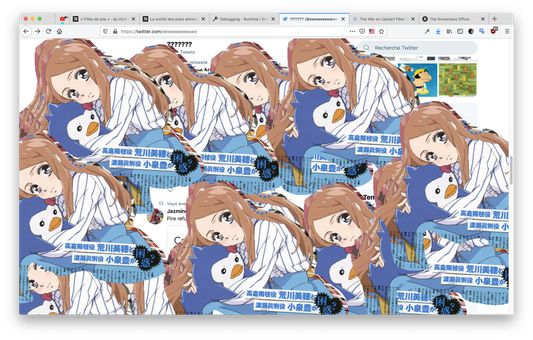
Về tiện ích mở rộng này
Works in any tabs, you can copy from a tab and paste in another tab, or in an other software, anywhere.
Ctrl/Cmd+D: Switch modes (Hidden, Clip and Paste)
Ctrl/Cmd+V (Paste mode): Paste any image into the screen and use the mouse to drag it over.
Ctrl/Cmd+C (Clip mode): Copy any clip you did using the mouse in clip mode.
Mouse-Left (Clip mode): Draw an area you want to select for copy.
Mouse-Left (Paste mode): Drag any image you paste from your clipboard.
Name Inspiration: https://fr.wikipedia.org/wiki/Femmage
Ctrl/Cmd+D: Switch modes (Hidden, Clip and Paste)
Ctrl/Cmd+V (Paste mode): Paste any image into the screen and use the mouse to drag it over.
Ctrl/Cmd+C (Clip mode): Copy any clip you did using the mouse in clip mode.
Mouse-Left (Clip mode): Draw an area you want to select for copy.
Mouse-Left (Paste mode): Drag any image you paste from your clipboard.
Name Inspiration: https://fr.wikipedia.org/wiki/Femmage
Được xếp hạng 0 (bởi 1 người dùng)
Quyền hạn và dữ liệu
Quyền hạn bắt buộc:
- Nhập dữ liệu vào bộ nhớ tạm
- Truy cập dữ liệu của bạn trên mọi trang web
Thêm thông tin
- Liên kết tiện ích
- Phiên bản
- 0.1
- Kích cỡ
- 85,99 KB
- Cập nhật gần nhất
- 6 năm trước (27 Thg 06 2020)
- Thể loại có liên quan
- Giấy phép
- Chỉ Giấy phép Công cộng GNU v3.0
- Lịch sử các phiên bản
- Thêm vào bộ sưu tập