Fancy Bookmarks Page bởi Justin von Rosenberg
Adds a user customizable, decorative full page viewer for bookmarks
Siêu dữ liệu mở rộng
Ảnh chụp màn hình
Về tiện ích mở rộng này
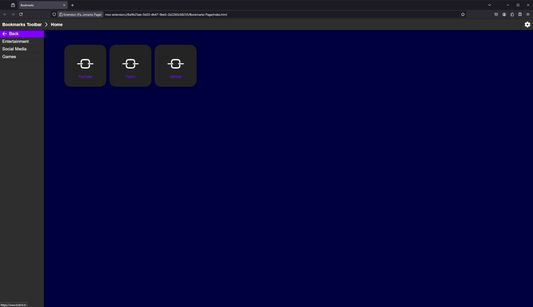
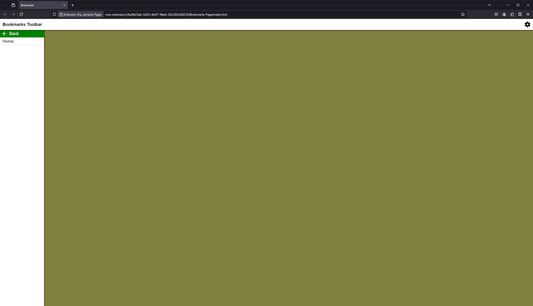
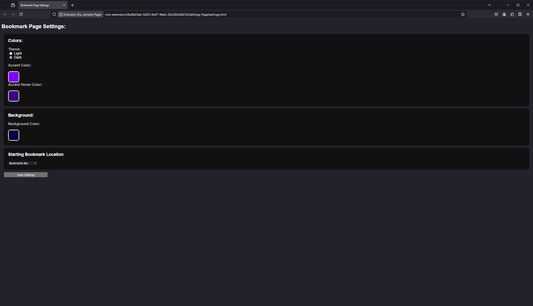
Fancy Bookmarks Page adds the ability to browse bookmarks using a UI contained within a full webpage. This allows you to set the bookmarks page as an alternate browser homepage if desired as well as customize its color scheme with a settings page.
How to Use:
How to set Bookmarks Page as browser home page:
Permissions:
How to Use:
- Click on the extension in the extensions menu or click on its pinned toolbar button to open the bookmarks page.
- In order to change settings, click the gear on the bookmarks page or open the settings page through the extension preferences.
How to set Bookmarks Page as browser home page:
- Open the bookmarks page and close all other tabs
- Open Firefox settings and go to "Home"
- Select "Custom URLs" for Homepage and new windows
- Click "Use Current Page"
Permissions:
- Read bookmarks and bookmark folders
- Store settings in browser sync storage
Được xếp hạng 0 (bởi 1 người dùng)
Quyền hạn và dữ liệu
Thêm thông tin
- Liên kết tiện ích
- Phiên bản
- 1.0
- Kích cỡ
- 28,54 KB
- Cập nhật gần nhất
- một năm trước (8 Thg 07 2024)
- Giấy phép
- Chỉ Giấy phép Công cộng GNU v3.0
- Lịch sử các phiên bản
- Thêm vào bộ sưu tập