Ezproxy Switcher bởi cywu
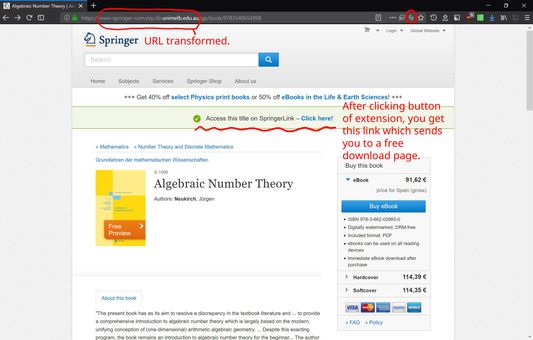
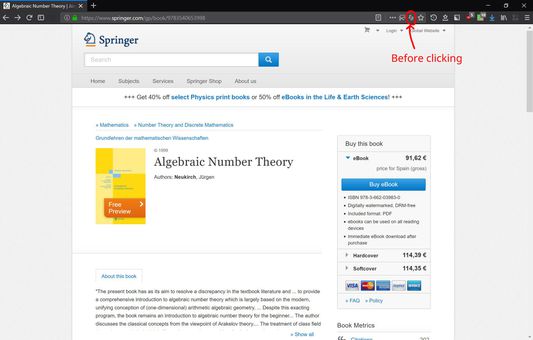
To access academic papers on some sites, sometimes one is required to go through one's institute's ezproxy. Click the icon in the address bar to quickly switch between ezproxied URL and non-ezproxied URL.
13 người dùng13 người dùng
Siêu dữ liệu mở rộng
Ảnh chụp màn hình
Về tiện ích mở rộng này
First fill in your institute's ezproxy address in Options. Then click the button in the address bar (or in the menu on Android) to quickly switch between ezproxied URL and non-ezproxied URL. The extension only transforms the URL. You will be connected to your institute's ezproxy server. If you are already logged in on your institute's network, then feast your eye on the paper you want to download. If you are not logged in, your institute will ask you to log in and you can feast afterwards. Credential with the institute is generally required to use its ezproxy.
Được xếp hạng 0 (bởi 1 người dùng)
Thêm thông tin
- Liên kết tiện ích
- Phiên bản
- 1.0.2
- Kích cỡ
- 10,89 KB
- Cập nhật gần nhất
- 6 năm trước (31 Thg 10 2019)
- Thể loại có liên quan
- Giấy phép
- Chỉ Giấy phép Công cộng GNU v3.0
- Lịch sử các phiên bản
- Thêm vào bộ sưu tập