psc bởi veu
page's style changer
Không có người dùngKhông có người dùng
Siêu dữ liệu mở rộng
Ảnh chụp màn hình
Về tiện ích mở rộng này
page's style changer
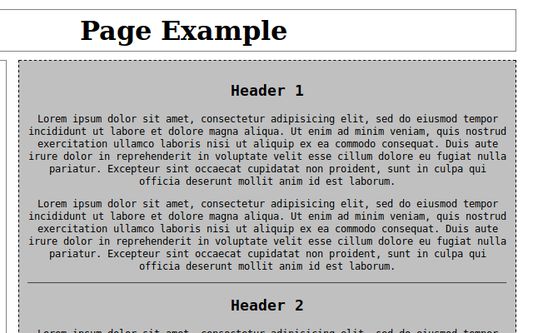
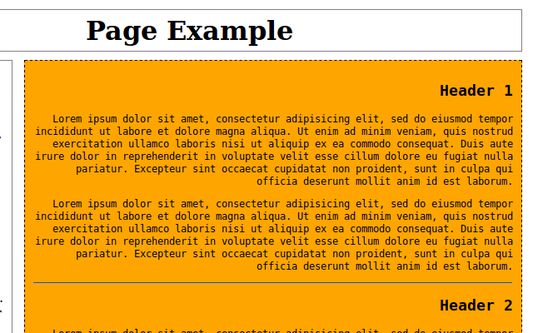
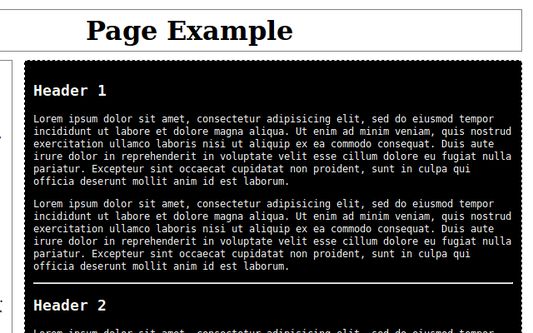
enables to change a style of selected page's element
how to use it
- right click on a web page's element
- in context menu go to 'psc' and select "choose an element..."
- a box with elements that correspond to the website's elements appears
- choose an element
- change options and styles or change an element using actions on toolbar popup box or using keyboard shortcuts
enables to change a style of selected page's element
how to use it
- right click on a web page's element
- in context menu go to 'psc' and select "choose an element..."
- a box with elements that correspond to the website's elements appears
- choose an element
- change options and styles or change an element using actions on toolbar popup box or using keyboard shortcuts
Được xếp hạng 0 (bởi 1 người dùng)
Quyền hạn và dữ liệu
Quyền hạn bắt buộc:
- Truy cập các thẻ trên trình duyệt
- Truy cập dữ liệu của bạn trên mọi trang web
Thêm thông tin
- Phiên bản
- 1.7
- Kích cỡ
- 89,86 KB
- Cập nhật gần nhất
- 6 năm trước (14 Thg 01 2020)
- Thể loại có liên quan
- Giấy phép
- Apache License 2.0
- Lịch sử các phiên bản
- Thêm vào bộ sưu tập