Get Clip ავტორი Luis Adame
Download Twitch clips right from their clip page
5 მომხმარებელი5 მომხმარებელი
გაფართოების მონაცემები
ეკრანის სურათები
გაფართოების შესახებ
Download Twitch clips from the dedicated clip url or the clip section of a channel.
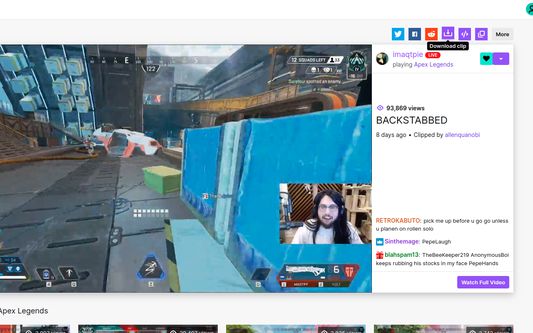
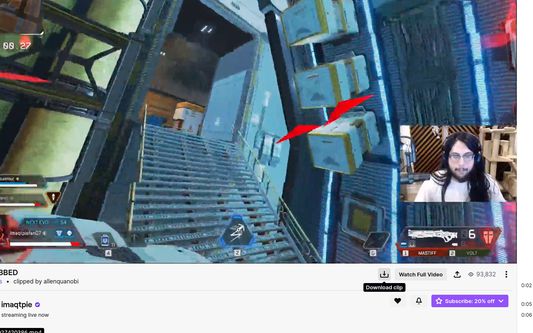
A download button will appear on the social buttons and utilities section in the case of the dedicate clip url (clips.twitch.tv). And in the case of the channel clip section (www.twitch.tv/<streamer>/clip/<clip-name>) a download button will appear below the right corner of the video.
The button will have a label in the language you have selected inside the Twitch app.
A download button will appear on the social buttons and utilities section in the case of the dedicate clip url (clips.twitch.tv). And in the case of the channel clip section (www.twitch.tv/<streamer>/clip/<clip-name>) a download button will appear below the right corner of the video.
The button will have a label in the language you have selected inside the Twitch app.
0 შეფასება 0 მიმომხილველისგან
ნებართვები და მონაცემები
დამატებითი მონაცემები
- ვერსია
- 1.1.0
- ზომა
- 26,62 კბ
- ბოლო განახლება
- 5 წლის წინ (25 აპრ 2021)
- მსგავსი კატეგორიები
- ლიცენზია
- All Rights Reserved (ყველა უფლება დაცულია)
- ვერსიის ისტორია
- კრებულში დამატება