Fullscreen Google Meet bởi Thomas Brillion
View Screenshare in full screen on Google Meet without losing built-in functionalities
8 người dùng8 người dùng
Siêu dữ liệu mở rộng
Ảnh chụp màn hình
Về tiện ích mở rộng này
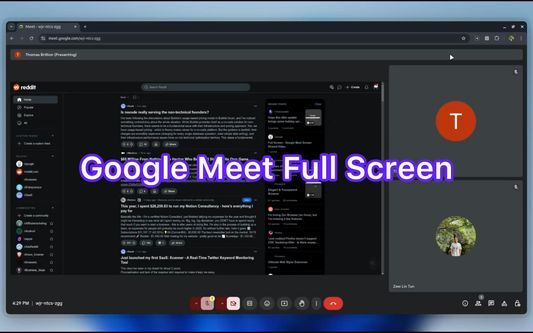
This extension allows you to view ScreenShare in Full Screen on Google Meet.
Features:
- There are two modes: Default and Full.
In Default mode, you still have access to built-in Google Meet functionalities such as emoji, side bar actions. In Full mode, the screen is stretched in maximum size.
- It is responsive when you use built-in Google Meet functionalities.
- It is compatible with built-in Browser Full Screen.
- Use "Meta" key + "F" ( Windows key + F or Command key + F ) to toggle and Esc to reset the full-screen.
Features:
- There are two modes: Default and Full.
In Default mode, you still have access to built-in Google Meet functionalities such as emoji, side bar actions. In Full mode, the screen is stretched in maximum size.
- It is responsive when you use built-in Google Meet functionalities.
- It is compatible with built-in Browser Full Screen.
- Use "Meta" key + "F" ( Windows key + F or Command key + F ) to toggle and Esc to reset the full-screen.
Được xếp hạng 0 (bởi 1 người dùng)
Quyền hạn và dữ liệu
Thêm thông tin
- Liên kết tiện ích
- Phiên bản
- 0.0.1
- Kích cỡ
- 89,68 KB
- Cập nhật gần nhất
- một năm trước (21 Thg 12 2024)
- Thể loại có liên quan
- Giấy phép
- Mọi Quyền Được Bảo Lưu
- Lịch sử các phiên bản
- Thêm vào bộ sưu tập