Tickety-Tick 作成者: bitcrowd
How do you name this branch? What is the message for that commit? At bitcrowd we love conventions. One of them is how we name branches and commits. This makes it easy to relate a particular branch or commit to a certain ticket.
18 人のユーザー18 人のユーザー
拡張機能メタデータ
スクリーンショット
この拡張機能について
How do you name this branch? What is the message for that commit?
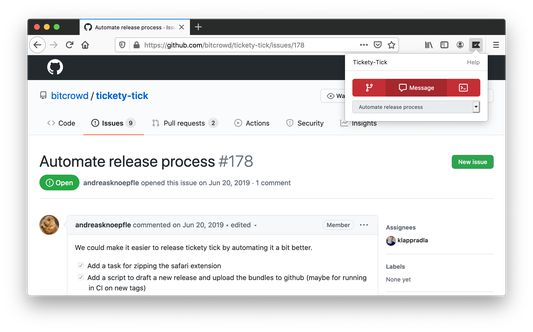
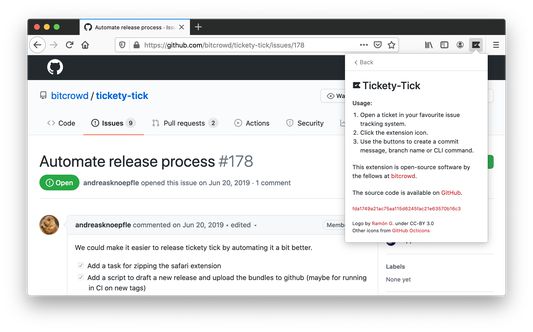
At bitcrowd we love conventions. One of them is how we name branches and commits. This makes it easy to relate a particular branch or commit to a certain ticket. Just open a ticket or select it and click on the tickety-tick button. You will see a dialog where you can copy a branch name or the commit message.
Branches by default always follow the format type/id-title, where type can be one of feature, bug, chore etc., id is the identifier of the ticket in your ticketing system and title is a lowercase, dasherized version of the ticket title.
Commit messages default to the format "[#id] title".
If you have different conventions regarding commit messages, branch names or just use a different source management tool, you can also customize the output format to your needs in the preferences.
Tickety-Tick helps you create branches and commits for a few ticket systems.
Currently, we support:
<ul>
<li>GitHub</li>
<li>GitLab</li>
<li>Jira</li>
<li>Linear.app</li>
<li>Notion</li>
<li>Tara</li>
<li>Trello</li>
<li>YouTrack</li>
<li>Polarion</li>
</ul>
At bitcrowd we love conventions. One of them is how we name branches and commits. This makes it easy to relate a particular branch or commit to a certain ticket. Just open a ticket or select it and click on the tickety-tick button. You will see a dialog where you can copy a branch name or the commit message.
Branches by default always follow the format type/id-title, where type can be one of feature, bug, chore etc., id is the identifier of the ticket in your ticketing system and title is a lowercase, dasherized version of the ticket title.
Commit messages default to the format "[#id] title".
If you have different conventions regarding commit messages, branch names or just use a different source management tool, you can also customize the output format to your needs in the preferences.
Tickety-Tick helps you create branches and commits for a few ticket systems.
Currently, we support:
<ul>
<li>GitHub</li>
<li>GitLab</li>
<li>Jira</li>
<li>Linear.app</li>
<li>Notion</li>
<li>Tara</li>
<li>Trello</li>
<li>YouTrack</li>
<li>Polarion</li>
</ul>
3 人のレビュー担当者が 5 と評価しました
権限とデータ
詳しい情報
- アドオンリンク
- バージョン
- 5.7.0
- サイズ
- 1.68 MB
- 最終更新日
- 6日前 (2026年2月19日)
- 関連カテゴリー
- ライセンス
- MIT License
- バージョン履歴
- コレクションへ追加