Tabswiper 作成者: He4eT
Clear the list of your tabs from outdated and unnecessary ones
2 Users2 Users
拡張機能メタデータ
スクリーンショット
この拡張機能について
A Firefox extension that makes trimming your tabs as effortless as swiping on a dating app.
How to Use It:
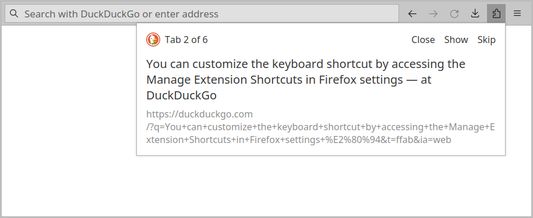
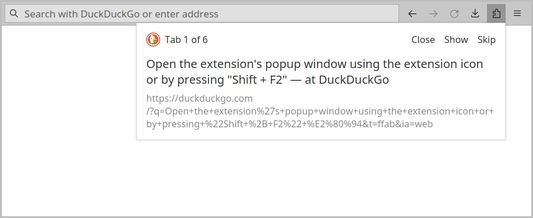
1. Open the extension's popup window using the extension icon or by pressing Shift + F2. You can customize the keyboard shortcut by accessing the Manage Extension Shortcuts in Firefox settings.
2. Navigate through your list of open tabs using buttons or your keyboard:
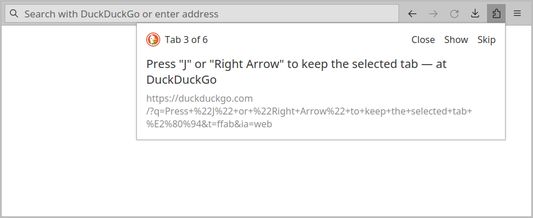
- Press J or Right Arrow to keep the selected tab.
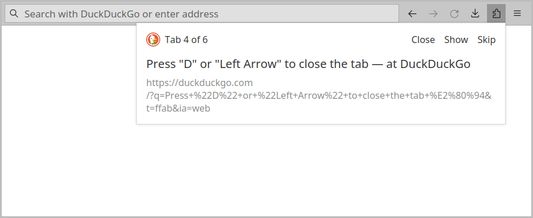
- Press D or Left Arrow to close the tab.
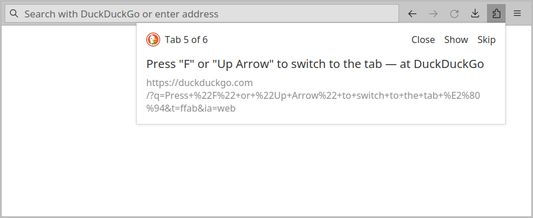
- Press F or Up Arrow to switch to the tab.
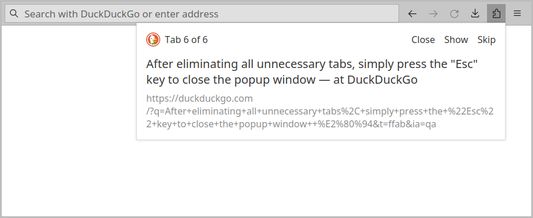
3. After eliminating all unnecessary tabs, simply press the Esc key to close the popup window.
How to Use It:
1. Open the extension's popup window using the extension icon or by pressing Shift + F2. You can customize the keyboard shortcut by accessing the Manage Extension Shortcuts in Firefox settings.
2. Navigate through your list of open tabs using buttons or your keyboard:
- Press J or Right Arrow to keep the selected tab.
- Press D or Left Arrow to close the tab.
- Press F or Up Arrow to switch to the tab.
3. After eliminating all unnecessary tabs, simply press the Esc key to close the popup window.
Rated 5 by 2 reviewers
Permissions and data
詳しい情報
- アドオンリンク
- バージョン
- 1.0.1
- サイズ
- 14.8 KB
- 最終更新日
- 2年前 (2024年1月19日)
- 関連カテゴリー
- ライセンス
- MIT License
- バージョン履歴
- コレクションへ追加