Femmage eliaspourquoi מאת
Make any web page a canvas to select, copy and paste anywhere else. Works using Shortcuts Keys.
משתמש אחדמשתמש אחד
נתוני העל של ההרחבה
צילומי מסך
על אודות הרחבה זו
Works in any tabs, you can copy from a tab and paste in another tab, or in an other software, anywhere.
Ctrl/Cmd+D: Switch modes (Hidden, Clip and Paste)
Ctrl/Cmd+V (Paste mode): Paste any image into the screen and use the mouse to drag it over.
Ctrl/Cmd+C (Clip mode): Copy any clip you did using the mouse in clip mode.
Mouse-Left (Clip mode): Draw an area you want to select for copy.
Mouse-Left (Paste mode): Drag any image you paste from your clipboard.
Name Inspiration: https://fr.wikipedia.org/wiki/Femmage
Ctrl/Cmd+D: Switch modes (Hidden, Clip and Paste)
Ctrl/Cmd+V (Paste mode): Paste any image into the screen and use the mouse to drag it over.
Ctrl/Cmd+C (Clip mode): Copy any clip you did using the mouse in clip mode.
Mouse-Left (Clip mode): Draw an area you want to select for copy.
Mouse-Left (Paste mode): Drag any image you paste from your clipboard.
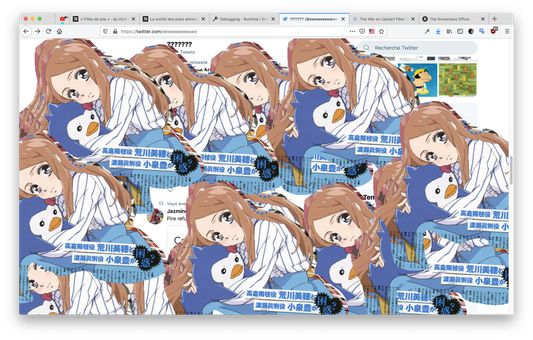
Name Inspiration: https://fr.wikipedia.org/wiki/Femmage
מדורג 0 על־ידי 0 סוקרים
הרשאות ונתונים
מידע נוסף
- קישורים לתוספת
- גרסה
- 0.1
- גודל
- 85.99 ק״ב
- עדכון אחרון
- לפני 6 שנים (27 יוני 2020)
- קטגוריות קשורות
- היסטוריית הגרסאות
- הוספה לאוסף