
Enlight Qeole מאת
Syntax highlight for raw source code.
263 משתמשים263 משתמשים
נתוני העל של ההרחבה
צילומי מסך
על אודות הרחבה זו
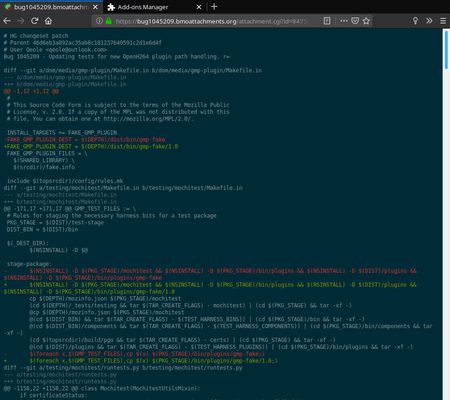
Provides syntax highlighting for raw source code displayed in current tab.
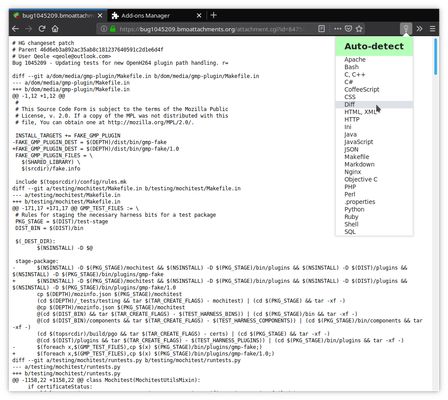
To activate, click on the add-on button in Firefox toolbar, and select the language syntax you want to use (or
When line numbering is activated, you can jump to a line of the file (e.g. line 27) by adding “#l27” at the end of the URL and then reloading the page (hitting “Enter” after URL change is not enough to trigger the jump).
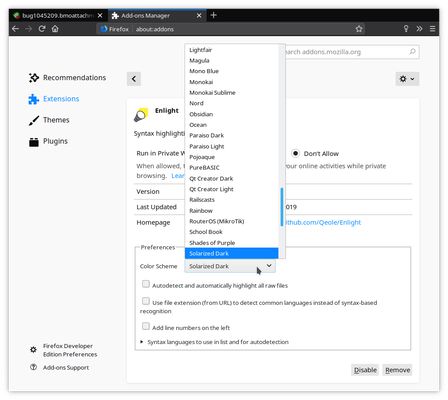
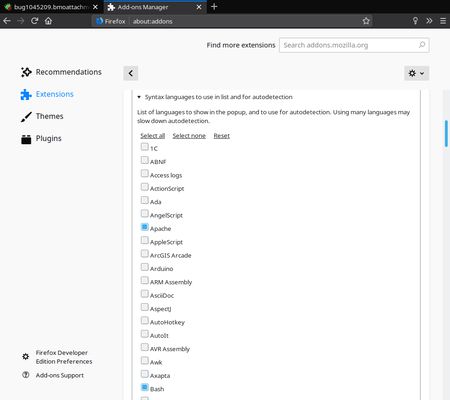
Syntax highlighting by itself relies on highlight.js project (see https://highlightjs.org). Currently packaged is the version 11.0.1 of highlight.js, which provides 242 color themes and syntax for 196 programming languages.
To activate, click on the add-on button in Firefox toolbar, and select the language syntax you want to use (or
Auto-detect for automatic detection). You can also select the color theme to use, or enable line numbering, in the add-on preferences.When line numbering is activated, you can jump to a line of the file (e.g. line 27) by adding “#l27” at the end of the URL and then reloading the page (hitting “Enter” after URL change is not enough to trigger the jump).
Syntax highlighting by itself relies on highlight.js project (see https://highlightjs.org). Currently packaged is the version 11.0.1 of highlight.js, which provides 242 color themes and syntax for 196 programming languages.
מדורג 4.6 על־ידי 17 סוקרים
הרשאות ונתונים
מידע נוסף
- גרסה
- 2.7.11.0
- גודל
- 707.81 ק״ב
- עדכון אחרון
- לפני 5 שנים (17 יוני 2021)
- קטגוריות קשורות
- היסטוריית הגרסאות
- הוספה לאוסף
Technically, the internal functioning is as follows: when one selects a language in the panel, the add-on looks for code between
<pre></pre>tags in current tab and inserts it in a<code></code>block. It also add a (local) link to CSS stylesheet corresponding to the color theme to use. Then the script provided by highlight.js project is called and does the hard work for us. Original content of the document is backed up in a hidden<div>for later restoring.This works well on raw text file containing source code, as Firefox automatically embeds it between
<pre></pre>tags (to preserve spacing and line breaks) before display.If you want to help them parsing languages, highlight.js is on GitHub.
If you have improvements for the add-on itself, feel free to file an issue or to submit a pull request on the add-on repo.