
newtab for poweruser wót aloisleclet
A minimalist new tab, to speed up your web browsing.
Žedne wužywarjeŽedne wužywarje
Metadaty rozšyrjenja
Fota wobrazowki
Wó toś tom rozšyrjenju
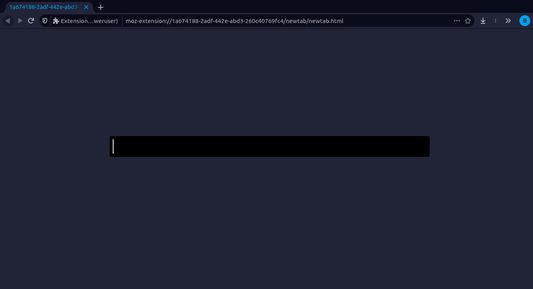
The newtab for poweruser extension is a minimalist extension which expose one only field in order to do speed up your web browsing.
Newtab for power user expose a field which allowed you to:
-type a duckduckgo research
-configure aliases for website (speed up your navigation)
-change the color of the newtab
-vim navigation keybinding in the inupt of the newtab
What is an alias ?
An alias is a short word which is in our case attach to an url.
When you type the alias in the newtab's field, the extension redirect you directly to this url.
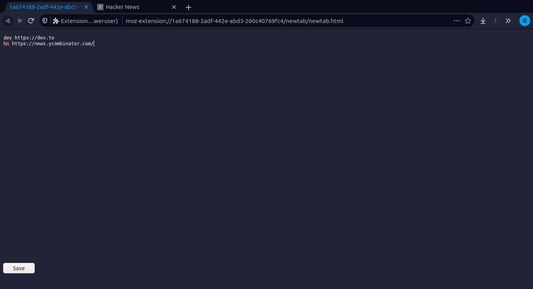
You can setup your own alias in typing ":settings" then press Enter and you are now on the settings view (like on the screenshot 2).
How to use ?
1. Press key <Alt> + <t> when no field are focused to open your newtab
2. Type ':settings' & Enter
3. Set up your alias & colors in the configuration area
```
dev https://dev.to
pic https://unsplash.com/s/photos/%s
```
4. Set up one alias open a group of tab
```
dev https://dev.to
dev https://news.ycombinator.com/
```
5. Set up custom colors
```
primaryColor #34495e
secondaryColor #2c3e50
fontColor #ecf0f1
```
6. Use vim navigation in the main input field
Press <Escape> to switch to navigation mode
Press < h > & < l > to navigate inside the input field
Press < i > to switch to insert mode
7. Enjoy
More informations & help:
https://github.com/aloisleclet/addon_newtab_poweruser
Newtab for power user expose a field which allowed you to:
-type a duckduckgo research
-configure aliases for website (speed up your navigation)
-change the color of the newtab
-vim navigation keybinding in the inupt of the newtab
What is an alias ?
An alias is a short word which is in our case attach to an url.
When you type the alias in the newtab's field, the extension redirect you directly to this url.
You can setup your own alias in typing ":settings" then press Enter and you are now on the settings view (like on the screenshot 2).
How to use ?
1. Press key <Alt> + <t> when no field are focused to open your newtab
2. Type ':settings' & Enter
3. Set up your alias & colors in the configuration area
```
dev https://dev.to
pic https://unsplash.com/s/photos/%s
```
4. Set up one alias open a group of tab
```
dev https://dev.to
dev https://news.ycombinator.com/
```
5. Set up custom colors
```
primaryColor #34495e
secondaryColor #2c3e50
fontColor #ecf0f1
```
6. Use vim navigation in the main input field
Press <Escape> to switch to navigation mode
Press < h > & < l > to navigate inside the input field
Press < i > to switch to insert mode
7. Enjoy
More informations & help:
https://github.com/aloisleclet/addon_newtab_poweruser
Z 0 wót 0 pógódnośujucych pógódnośony
Pšawa a daty
Trjebne pšawa:
- Nastajenja wobglědowaka cytaś a změniś
- Pśistup k rejtarikam wobglědowaka měś
- Pśistup k aktiwiśe wobglědowaka za nawigaciju měś
- Pśistup k wašym datam za wšykne websedła měś
Dalšne informacije
- Dodankowe wótzkaze
- Wersija
- 1.2.1
- Wjelikosć
- 24,12 KB
- Slědny raz zaktualizěrowany
- 4 ani în urmă (27 nov. 2021)
- Pśiswójźbne kategorije
- Wersijowa historija
- Zběrce pśidaś