YouTube Geoblock Checker od Nicu Calcea
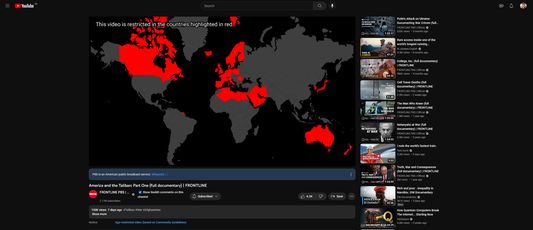
Shows where a YouTube video is restricted so you can use a VPN to avoid the restriction.
20 uživatelů20 uživatelů
Metadata rozšíření
Snímky obrazovky
O tomto rozšíření
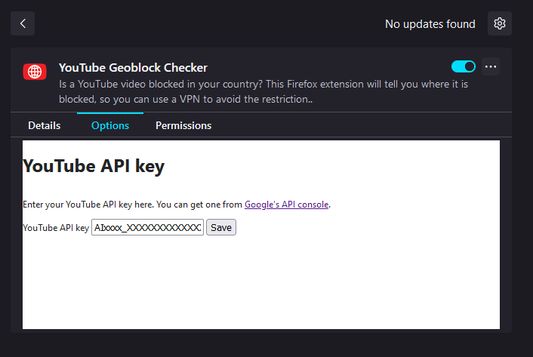
Once installed, open the Extensions setting (`about:addons`) in your browser and find the add-on. Click on the three dots (`⋮`) and the select `Options`.
At this stage, you'll need a YouTube Data API key. Go to Google's developer portal for instructions on how to get one.
Once you've got a key, paste it into the add-on settings and click save.
At this stage, you'll need a YouTube Data API key. Go to Google's developer portal for instructions on how to get one.
Once you've got a key, paste it into the add-on settings and click save.
Ohodnoceno 5 1 redaktorem
Oprávnění a data
Další informace
- Odkazy doplňku
- Verze
- 1.2
- Velikost
- 2,56 MB
- Poslední aktualizace
- před měsícem (5. lis 2025)
- Příbuzné kategorie
- Licence
- Mozilla Public License 2.0
- Historie změn
- Přidat do sbírky