
Web Developer Sidekick 作者: Jamal Lahyani
Please note that this extension is useful for web developers only. It allows recognition of website environments and display useful data such as credentials, ip address, database connections...etc
55 位使用者55 位使用者
擴充套件後設資料
畫面擷圖
關於此擴充套件
Please note that this extension is useful for web developers only.
Also available on Chrome Store
Keep Your Website Info at Your Fingertips
As a web developer, you have to work on different projects in parallel. You have to record: database credentials, admin dashboard login info and many other important information. You have to keep all this data for each environment. With this extension (let s call it the assistant) you can display all the required data with a simple click. All you have to do is installing the extension then add the appropriate settings for each your website.
How it Works
After installing and configuring the assistant, each time you visit a website, it will check if the url of to the website meets any defined rule you have set in the extension options. If it met than you will see a badge announcing which environment you are working. And when you click on the extension icon, the browser will display a popup where you can see the info you entered in the option page.
Note: Be careful when you add credentials for production environment since any one who has access to your browser can see those credentials.
Features:
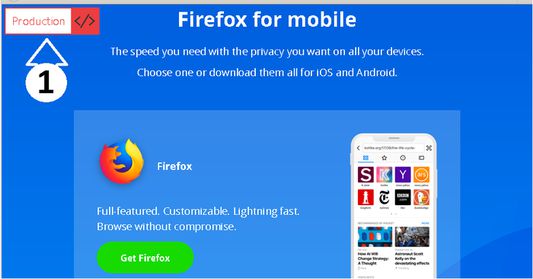
Displays website environment (screenshot 1)
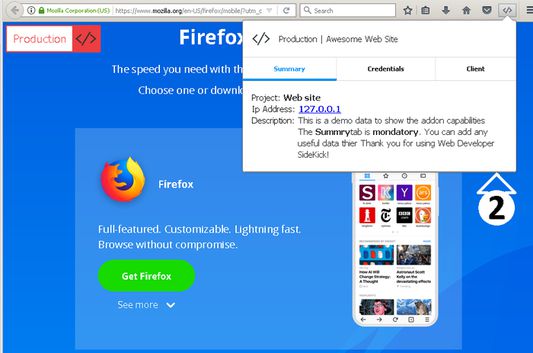
Shows useful details (screenshot 2)
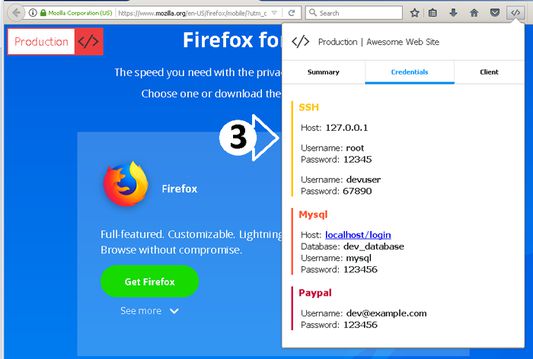
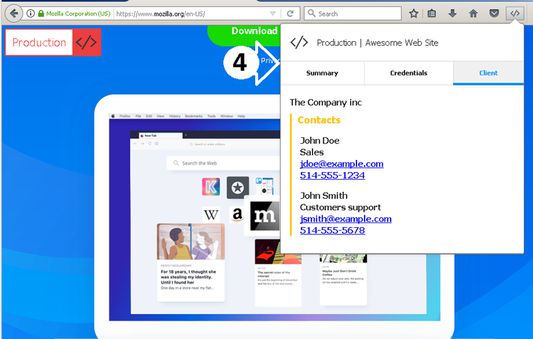
Extends popup byy adding new tabs (screenshots 3 & 4)
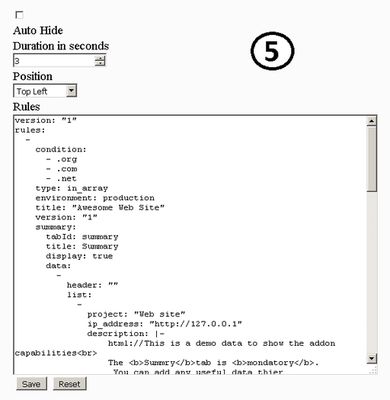
Customize addon behavior (screnshot 5)
For configuration details please check the documentation by following this link
https://soloist.ai/webdevelopersidekick
Also available on Chrome Store
Keep Your Website Info at Your Fingertips
As a web developer, you have to work on different projects in parallel. You have to record: database credentials, admin dashboard login info and many other important information. You have to keep all this data for each environment. With this extension (let s call it the assistant) you can display all the required data with a simple click. All you have to do is installing the extension then add the appropriate settings for each your website.
How it Works
After installing and configuring the assistant, each time you visit a website, it will check if the url of to the website meets any defined rule you have set in the extension options. If it met than you will see a badge announcing which environment you are working. And when you click on the extension icon, the browser will display a popup where you can see the info you entered in the option page.
Note: Be careful when you add credentials for production environment since any one who has access to your browser can see those credentials.
Features:
Displays website environment (screenshot 1)
Shows useful details (screenshot 2)
Extends popup byy adding new tabs (screenshots 3 & 4)
Customize addon behavior (screnshot 5)
For configuration details please check the documentation by following this link
https://soloist.ai/webdevelopersidekick
由 1 位評論者給出 3.7 分
權限與資料
更多資訊