Firefox 瀏覽器附加元件
擴充套件
佈景主題
更多…
用於 Firefox
字典與語言套件
其他瀏覽器網站
Android 版的附加元件
登入
搜尋
搜尋
screenshot any element
作者:
vacantthinker
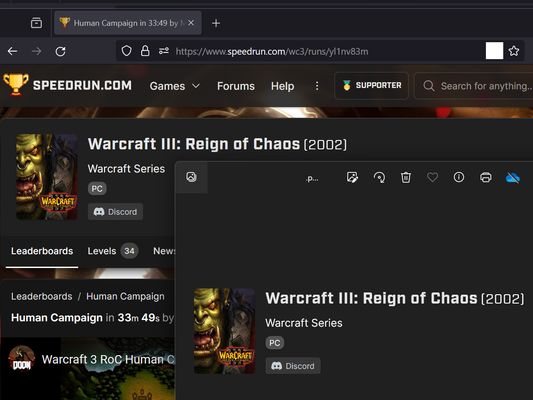
webpage screenshot support: screenshot full page pick one element to screenshot
實驗中
實驗中
5(1 筆評分)
5(1 筆評分)
12 位使用者
12 位使用者
下載 Firefox 並安裝擴充套件
下載檔案
擴充套件後設資料
畫面擷圖
關於此擴充套件
how to use? screenshot full page
right context menu: "screenshot full page"
how to use? pick one element to screenshot
click browser action: "pick one element to screenshot"
move your mouse on element (that you want to screenshot)
click it. (it will auto capture, then downloading as png file.)
as you know: some website cannot capture !
eg: mozilla
"Firefox_min_version": "102.0"
由 1 位評論者給出 5 分
登入後即可幫此擴充套件評分
目前沒有評分
已儲存星等
5
1
4
0
3
0
2
0
1
0
權限與資料
必要權限:
向您顯示通知
存取瀏覽器分頁
存取您所有網站中的資料
更多資訊
版本
2024.1.23.2
大小
12.86 KB
最近更新
2 年前 (2024年1月22日)
相關分類
相片、音樂、影片
分頁
授權條款
Mozilla Public License 2.0
版本紀錄
瀏覽所有版本
標籤
download
social media
新增至收藏集
選擇收藏集…
建立新收藏集
檢舉此附加元件