
Redact 作者: forestbeasts
Redact text for screenshots
48 位使用者48 位使用者
擴充套件後設資料
畫面擷圖
關於此擴充套件
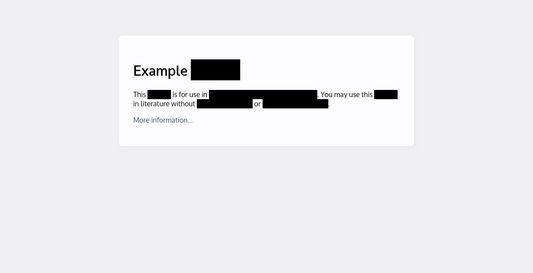
Redact is a small Firefox extension that redacts text on a page so you can screenshot it without having to edit the image afterwards.
To use it, just highlight some text and choose "Redact" from the right-click menu. To get rid of the redactions, reload the page.
That's all there is to it! Redact stays out of your way.
By default, the text is actually removed from the page (and replaced with "[REDACTED]" inside the blackout boxes), so saving the webpage, printing to PDF, etc. is also safe. If you want to make sure the layout doesn't change, you can change the redaction method to simply set the background color to the foreground color instead. (The settings are in the Preferences tab on the extension details, in about:addons.)
If you're printing, you may have to turn on Print Backgrounds in order to see the blackout boxes.
To use it, just highlight some text and choose "Redact" from the right-click menu. To get rid of the redactions, reload the page.
That's all there is to it! Redact stays out of your way.
By default, the text is actually removed from the page (and replaced with "[REDACTED]" inside the blackout boxes), so saving the webpage, printing to PDF, etc. is also safe. If you want to make sure the layout doesn't change, you can change the redaction method to simply set the background color to the foreground color instead. (The settings are in the Preferences tab on the extension details, in about:addons.)
If you're printing, you may have to turn on Print Backgrounds in order to see the blackout boxes.
由 1 位評論者給出 4 分
更多資訊