
AutoSkippy | Skip Intros, Ads, Recaps & More 作者: imtiazraqib
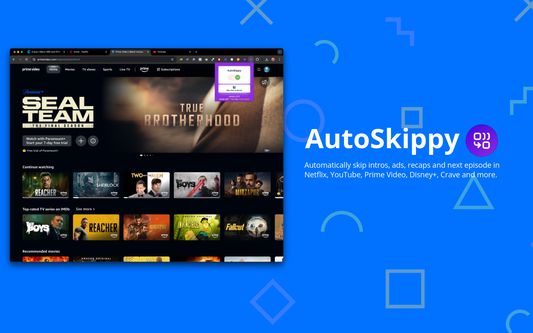
Automatically skip intros, ads, recaps and next episode in Netflix, YouTube, Prime Video, Disney+, Crave and more.
75 位使用者75 位使用者
擴充套件後設資料
畫面擷圖


關於此擴充套件
Automatically skip intros, ads, recaps and next episode in Netflix, YouTube, Prime Video, Disney+, Crave and more.
Transform your streaming experience with AutoSkippy! This Chrome extension makes binge-watching effortless by automatically skipping intros, ads, recaps, and advancing to the next episode. Say goodbye to repetitive clicks and enjoy uninterrupted streaming with just a toggle.
Key Features:
1. Automatic Intros Skip: Effortlessly skips intro screens on Netflix, Netflix, YouTube, Prime Video, Disney+, Crave and other platforms.
2. Ad Skipping: Automatically skips ads on YouTube and more.
3. Recap Skipping: Eliminate recap screens to dive straight into the next episode.
4. Next Episode Button: Automatically advances to the next episode without manual clicks.
5. Sleek Design: Features a stylish toggle button with interactive indicators.
6. Privacy First: Operates securely within streaming platforms while keeping your data private.
How to Use:
1. Toggle AutoSkippy on.
2. Open Netflix, YouTube, Crave, Prime Video or other supported platforms and start watching.
3. Relax—AutoSkippy will handle the rest!
Transform your streaming experience with AutoSkippy! This Chrome extension makes binge-watching effortless by automatically skipping intros, ads, recaps, and advancing to the next episode. Say goodbye to repetitive clicks and enjoy uninterrupted streaming with just a toggle.
Key Features:
1. Automatic Intros Skip: Effortlessly skips intro screens on Netflix, Netflix, YouTube, Prime Video, Disney+, Crave and other platforms.
2. Ad Skipping: Automatically skips ads on YouTube and more.
3. Recap Skipping: Eliminate recap screens to dive straight into the next episode.
4. Next Episode Button: Automatically advances to the next episode without manual clicks.
5. Sleek Design: Features a stylish toggle button with interactive indicators.
6. Privacy First: Operates securely within streaming platforms while keeping your data private.
How to Use:
1. Toggle AutoSkippy on.
2. Open Netflix, YouTube, Crave, Prime Video or other supported platforms and start watching.
3. Relax—AutoSkippy will handle the rest!
由 1 位評論者給出 1 分
權限與資料
必要權限:
- 存取您在 netflix.com 網域中的資料
- 存取您在 youtube.com 網域中的資料
- 存取您在 primevideo.com 網域中的資料
- 存取您在 disneyplus.com 網域中的資料
- 存取您在 crave.ca 網域中的資料
更多資訊