Femmage av eliaspourquoi
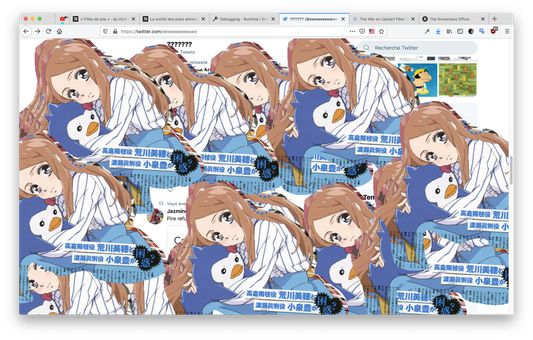
Make any web page a canvas to select, copy and paste anywhere else. Works using Shortcuts Keys.
1 användare1 användare
Metadata för tillägg
Skärmbilder
Om detta tillägg
Works in any tabs, you can copy from a tab and paste in another tab, or in an other software, anywhere.
Ctrl/Cmd+D: Switch modes (Hidden, Clip and Paste)
Ctrl/Cmd+V (Paste mode): Paste any image into the screen and use the mouse to drag it over.
Ctrl/Cmd+C (Clip mode): Copy any clip you did using the mouse in clip mode.
Mouse-Left (Clip mode): Draw an area you want to select for copy.
Mouse-Left (Paste mode): Drag any image you paste from your clipboard.
Name Inspiration: https://fr.wikipedia.org/wiki/Femmage
Ctrl/Cmd+D: Switch modes (Hidden, Clip and Paste)
Ctrl/Cmd+V (Paste mode): Paste any image into the screen and use the mouse to drag it over.
Ctrl/Cmd+C (Clip mode): Copy any clip you did using the mouse in clip mode.
Mouse-Left (Clip mode): Draw an area you want to select for copy.
Mouse-Left (Paste mode): Drag any image you paste from your clipboard.
Name Inspiration: https://fr.wikipedia.org/wiki/Femmage
Betyg 0 av 0 recensenter
Behörigheter och data
Mer information
- Länkar för tillägg
- Version
- 0.1
- Storlek
- 85,99 kB
- Senast uppdaterad
- för 6 år sedan (27 jun 2020)
- Relaterade kategorier
- Versionshistorik
- Lägg till i samling