
AutoSkippy | Skip Intros, Ads, Recaps & More wot imtiazraqib
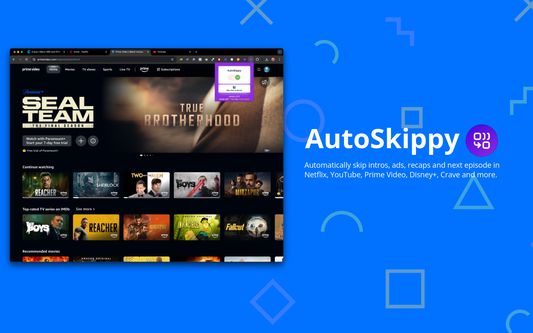
Automatically skip intros, ads, recaps and next episode in Netflix, YouTube, Prime Video, Disney+, Crave and more.
73 wužiwarjow73 wužiwarjow
Metadaty rozšěrjenja
Fota wobrazowki


Wo tutym rozšěrjenju
Automatically skip intros, ads, recaps and next episode in Netflix, YouTube, Prime Video, Disney+, Crave and more.
Transform your streaming experience with AutoSkippy! This Chrome extension makes binge-watching effortless by automatically skipping intros, ads, recaps, and advancing to the next episode. Say goodbye to repetitive clicks and enjoy uninterrupted streaming with just a toggle.
Key Features:
1. Automatic Intros Skip: Effortlessly skips intro screens on Netflix, Netflix, YouTube, Prime Video, Disney+, Crave and other platforms.
2. Ad Skipping: Automatically skips ads on YouTube and more.
3. Recap Skipping: Eliminate recap screens to dive straight into the next episode.
4. Next Episode Button: Automatically advances to the next episode without manual clicks.
5. Sleek Design: Features a stylish toggle button with interactive indicators.
6. Privacy First: Operates securely within streaming platforms while keeping your data private.
How to Use:
1. Toggle AutoSkippy on.
2. Open Netflix, YouTube, Crave, Prime Video or other supported platforms and start watching.
3. Relax—AutoSkippy will handle the rest!
Transform your streaming experience with AutoSkippy! This Chrome extension makes binge-watching effortless by automatically skipping intros, ads, recaps, and advancing to the next episode. Say goodbye to repetitive clicks and enjoy uninterrupted streaming with just a toggle.
Key Features:
1. Automatic Intros Skip: Effortlessly skips intro screens on Netflix, Netflix, YouTube, Prime Video, Disney+, Crave and other platforms.
2. Ad Skipping: Automatically skips ads on YouTube and more.
3. Recap Skipping: Eliminate recap screens to dive straight into the next episode.
4. Next Episode Button: Automatically advances to the next episode without manual clicks.
5. Sleek Design: Features a stylish toggle button with interactive indicators.
6. Privacy First: Operates securely within streaming platforms while keeping your data private.
How to Use:
1. Toggle AutoSkippy on.
2. Open Netflix, YouTube, Crave, Prime Video or other supported platforms and start watching.
3. Relax—AutoSkippy will handle the rest!
Z 1 wot 2 pohódnoćaceju pohódnoćeny
Prawa a daty
Trěbne prawa:
- Mějće přistup k swojim datam za sydła w domenje netflix.com
- Mějće přistup k swojim datam za sydła w domenje youtube.com
- Mějće přistup k swojim datam za sydła w domenje primevideo.com
- Mějće přistup k swojim datam za sydła w domenje disneyplus.com
- Mějće přistup k swojim datam za sydła w domenje crave.ca
Dalše informacije
- Přidatkowe wotkazy
- Wersija
- 2.0.12
- Wulkosć
- 41,03 KB
- Posledni raz zaktualizowany
- ien jier lyn (17 aug. 2024)
- Přiwuzne kategorije
- Wersijowa historija
- Zběrce přidać