
Second Search Autor: Piro (piro_or)
Provides a custom search field to search by any bookmarks for keyword search.
162 korisnika162 korisnika
Metapodaci proširenja
Snimke ekrana
Informacije o ovom proširenju
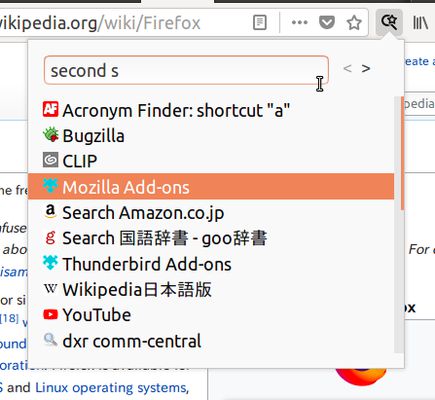
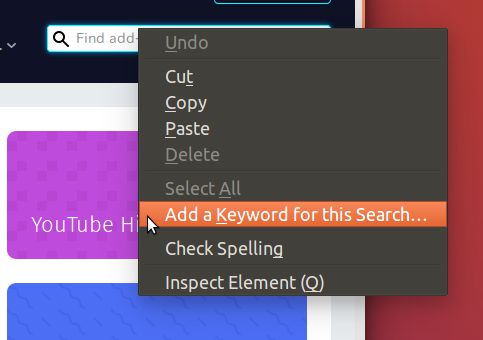
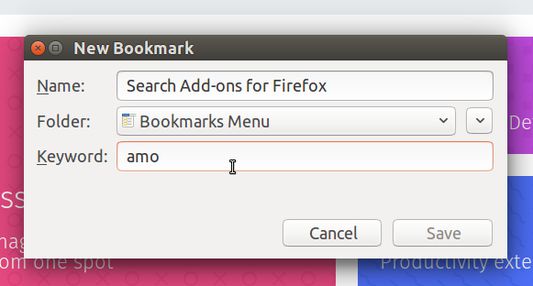
Second Search provides a custom search field for smart keyword (aka bookmark keyword). To start search with keyword, right-click on a search field in any webpage and choose "Add a keyword for this Search", or just create a bookmark with a URL including "%s" as a paceholder for the search term. Then they will be listed here and you can search with keyword directly from this panel.
Search engines are sorted by recently used. And you can show them ordered by their name, with Ctrl(Command)-Right key.
A keyboard shortcut to access the search panel is available: Ctrl-Shift-L
Search engines are sorted by recently used. And you can show them ordered by their name, with Ctrl(Command)-Right key.
A keyboard shortcut to access the search panel is available: Ctrl-Shift-L
Ocjena 4,4 od 9 recenzenta
Dozvole i podaci
Potrebne dozvole:
- Čitati i mijenjati zabilješke
- Pristup tvojim podacima za web-stranice na domeni gstatic.com
- Pristup tvojim podacima za www.google.com
Opcionalne dozvole:
- Pristup tvojim podacima za sve web stranice
Daljnje informacije
- Poveznice dodatka
- Verzija
- 2.3.9
- Veličina
- 44,68 KB
- Zadnje aktualiziranje
- prije 3 godine (11. ožu. 2023)
- Povezane kategorije
- Licenca
- Mozilla javna licenca 2.0
- Politika privatnosti
- Pročitaj politiku privatnosti za ovaj dodatak
- Povijest verzija
- Dodaj u zbirku