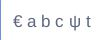
Custom Characters Autor: Michael Talbot
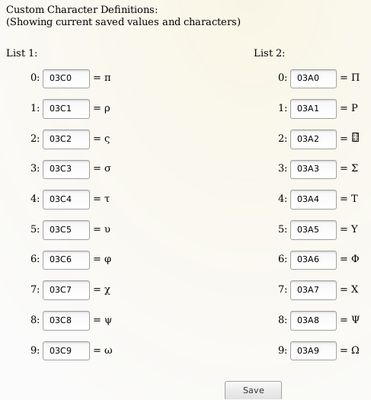
Define up to 20 custom characters from Unicode for quick and easy input.
16 korisnika16 korisnika
Metapodaci proširenja
Snimke ekrana

Informacije o ovom proširenju
This extension allows you to choose up to 20 characters from Unicode for quick input in 2 separate lists.
Known Issue: Custom Characters does not work properly where the INPUT field type is EMAIL.
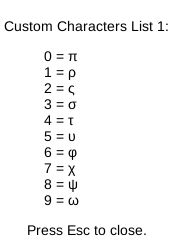
- To trigger the first list type Ctrl . (That is: Ctrl + period, Ctrl + dot, Ctrl + full stop or Ctrl + whatever you call the full stop).
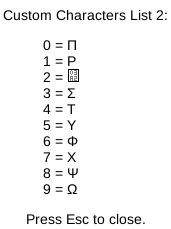
- To trigger the second list type Ctrl , (That is: Ctrl + comma).
- To close the list hit the Escape key.
- Type the number from 0 to 9 that corresponds to the character you want to input.
- You can keep typing other letters while this extension is active but the numbers 0-9 are not available.
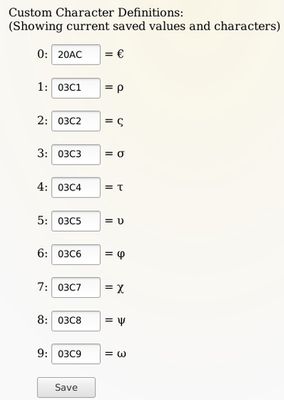
- You can change the definitions whenever you want, just remember to click on the "Save" button when you're finished.
Known Issue: Custom Characters does not work properly where the INPUT field type is EMAIL.
Ocjena 3 od strane 4 korisnika
Dozvole i podaci
Daljnje informacije
- Poveznice dodatka
- Verzija
- 3.0
- Veličina
- 27,92 KB
- Zadnje aktualiziranje
- prije 4 godine (9. velj. 2022)
- Povezane kategorije
- Licenca
- Mozilla javna licenca 2.0
- Povijest verzija
- Dodaj u zbirku
Programer ovog proširenja te moli, da pomoću male donacije podržiš daljnji razvoj proširenja.