Tomato Clock - A Simple Pomodoro Timer Autor: Samuel Jun
A simple browser extension for managing your productivity
31.398 korisnika31.398 korisnika
Metapodaci proširenja
Snimke ekrana
Informacije o ovom proširenju
Use Tomato Clock to break down your work sessions into 25 minute 'Tomato' intervals separated by short breaks. Take a longer break after completing 4 Tomato intervals.
Features:
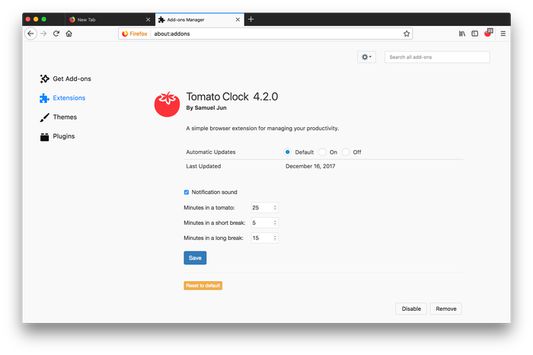
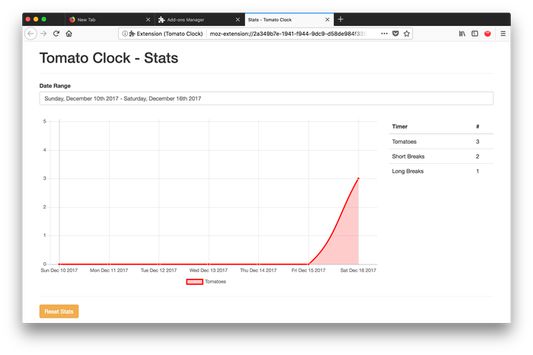
You can customize the length of the Tomatoes and breaks in the extension options page. Tomato Clock uses the default browser notification system, accompanied by a sound, to let you know when the timer is up. Tomato Clock also features stats for tracking how many Tomatoes you complete.
Features:
- Customizable timer lengths
- Browser notifications
- Customizable notification sounds
- Stat tracking
You can customize the length of the Tomatoes and breaks in the extension options page. Tomato Clock uses the default browser notification system, accompanied by a sound, to let you know when the timer is up. Tomato Clock also features stats for tracking how many Tomatoes you complete.
Please file any issues at github: https://github.com/samueljun/tomato-clock/issues.
Ocjena 4,5 od 423 recenzenta
Dozvole i podaci
Daljnje informacije
- Poveznice dodatka
- Verzija
- 7.2.0
- Veličina
- 2,37 MB
- Zadnje aktualiziranje
- prije 20 sati (15. sij. 2026)
- Povezane kategorije
- Povijest verzija
- Dodaj u zbirku
Programer ovog proširenja te moli, da pomoću male donacije podržiš daljnji razvoj proširenja.