Lyncis Resizer troch hidetoya
It resizes the browser window to the specified position and size, or open it to the specified position and size.
35 brûkers35 brûkers
Metadata útwreiding
Skermôfbyldingen
Oer dizze útwreiding
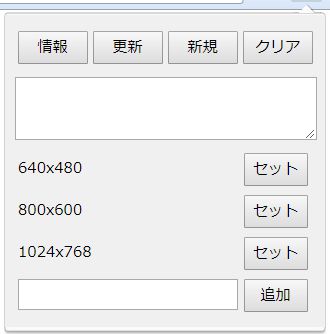
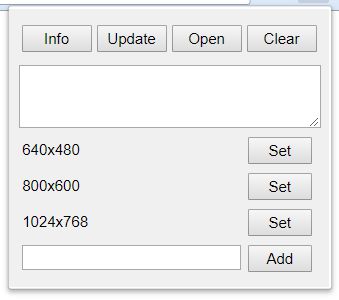
[Info]: Get the position and size in the current window, and put it into the text area.
[Update]: Apply to this window the position and size in the text area.
[Open]: Open new window in the position and size in the text area.
[Clear]: Clear the text area.
[Set]: Set the registered position and size in the text area.
[Add]: Add the position and size in the text area as the named presets. If you click with pressing the ALT key, you can remove the presets.
[Update]: Apply to this window the position and size in the text area.
[Open]: Open new window in the position and size in the text area.
[Clear]: Clear the text area.
[Set]: Set the registered position and size in the text area.
[Add]: Add the position and size in the text area as the named presets. If you click with pressing the ALT key, you can remove the presets.
Wurdearre: 3,5 troch 2 beoardielers
Mear ynformaasje
- Add-on-keppelingen
- Ferzje
- 2.2.1resigned1
- Grutte
- 23,15 KB
- Lêst bywurke
- 2 jierren lyn (25 apr. 2024)
- Sibbe kategoryen
- Lisinsje
- MIT-lisinsje
- Ferzjeskiednis
- Tafoegje oan kolleksje