
Omni - tabs, history and bookmarks by Tefter di Tefter.io
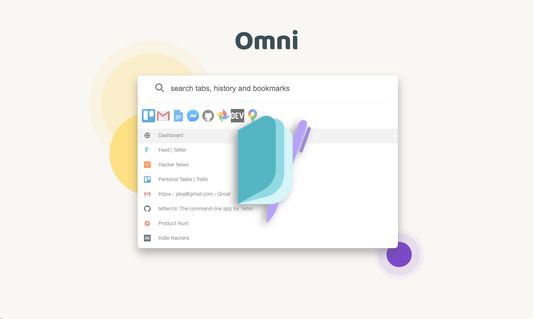
Boost your productivity by quickly navigating through your open tabs, history and Tefter.io bookmarks.
3 utents3 utents
Metadâts de estension
Schermadis

Informazions su la estension
Omni will analyze and index your browsing history, tabs and Tefter.io bookmarks for an optimal web navigation personalized experience.
All your data stays local and is never uploaded to any internet servers. You don't have to take our word for it, the source code is unobfuscated and available to be inspected.
We are committed to the privacy of our users. Omni and Tefter don't show any ads, they don't track you and don't display annoying notifications.
Omni is free, but perfectly paired with Tefter.io, the social bookmarking toolkit for teams.
Omni is primarily intended to be used through the keyboard-driven user interface.
Open Omni:
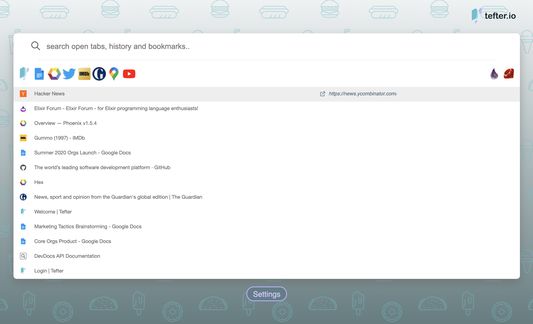
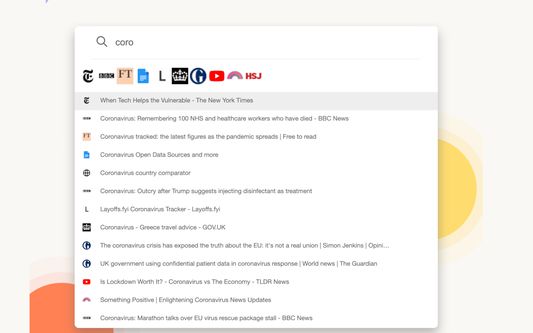
Surface Omni by hitting alt+k. Now you can search your history, tabs and Tefter.io bookmarks. The search scope is configurable.
Groups:
All your links are automatically organized into groups based on some parameters of link like the domain name. For example corp1.slack.com and corp2.slack.com would belong to the same group named Slack. Only the top ten most frequently accessed groups appear.
You can switch between groups by pressing TAB.
Organizations:
Collaborate with others and build a common knowledge base of your most useful bookmarks and aliases. Access the organization's bookmarks from any page or even through our Slack integration.
Aliases:
You can create shortcuts to links you commonly use. We call such shortcuts aliases. To use aliases you need a Tefter account. To create an alias, read here. To search and navigate to aliases, either hit alt + a or type /go in the Omni search bar. You may also navigate to an alias, let's say docs by typing go/docs in your browser's address bar.
Bookmarks:
To add a bookmark, hit alt+b or press on the press the extension icon followed by the "add bookmark" option.
Hotkeys:
In settings, you can see and configure keyboard shortcuts for most common actions.
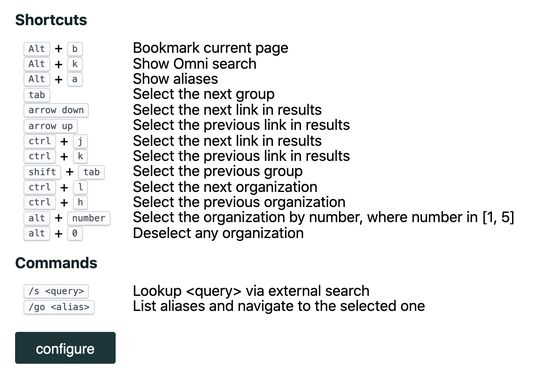
Shortcuts:
alt + b Bookmark current page
alt + k Show Omni search
alt + a Show aliases
arrow down Select the next link in results
ctrl + j Select the next link in results
arrow up Select the previous link in results
ctrl + k Select the previous link in results
tab Select the next group
shift + tab Select the previous group
ctrl + l Select the next organization
ctrl + h Select the previous organization
alt + number Select the organization by number, where number in [1, 5]
alt + 0 Deselect any organization
On MacOS use option ⌥ instead of alt.
Commands:
/s <query> Lookup <query> via external search
/go <alias> List aliases and navigate to the selected one
/t <query> List open tabs and navigte to the selected one
All your data stays local and is never uploaded to any internet servers. You don't have to take our word for it, the source code is unobfuscated and available to be inspected.
We are committed to the privacy of our users. Omni and Tefter don't show any ads, they don't track you and don't display annoying notifications.
Omni is free, but perfectly paired with Tefter.io, the social bookmarking toolkit for teams.
Omni is primarily intended to be used through the keyboard-driven user interface.
Open Omni:
Surface Omni by hitting alt+k. Now you can search your history, tabs and Tefter.io bookmarks. The search scope is configurable.
Groups:
All your links are automatically organized into groups based on some parameters of link like the domain name. For example corp1.slack.com and corp2.slack.com would belong to the same group named Slack. Only the top ten most frequently accessed groups appear.
You can switch between groups by pressing TAB.
Organizations:
Collaborate with others and build a common knowledge base of your most useful bookmarks and aliases. Access the organization's bookmarks from any page or even through our Slack integration.
Aliases:
You can create shortcuts to links you commonly use. We call such shortcuts aliases. To use aliases you need a Tefter account. To create an alias, read here. To search and navigate to aliases, either hit alt + a or type /go in the Omni search bar. You may also navigate to an alias, let's say docs by typing go/docs in your browser's address bar.
Bookmarks:
To add a bookmark, hit alt+b or press on the press the extension icon followed by the "add bookmark" option.
Hotkeys:
In settings, you can see and configure keyboard shortcuts for most common actions.
Shortcuts:
alt + b Bookmark current page
alt + k Show Omni search
alt + a Show aliases
arrow down Select the next link in results
ctrl + j Select the next link in results
arrow up Select the previous link in results
ctrl + k Select the previous link in results
tab Select the next group
shift + tab Select the previous group
ctrl + l Select the next organization
ctrl + h Select the previous organization
alt + number Select the organization by number, where number in [1, 5]
alt + 0 Deselect any organization
On MacOS use option ⌥ instead of alt.
Commands:
/s <query> Lookup <query> via external search
/go <alias> List aliases and navigate to the selected one
/t <query> List open tabs and navigte to the selected one
Valutât 3,8 di 5 recensôrs
Permès e dâts
Permès obligatoris:
- Lei e modificâ i segnelibris
- Acedi ae cronologjie di navigazion
- Acedi aes schedis dal navigadôr
- Acedi ai tiei dâts di ducj i sîts web
Altris informazions
- Colegaments component adizionâl
- Version
- 1.16.0
- Dimension
- 1,95 MB
- Ultin inzornament
- 4 jierren lyn (8 mai 2022)
- Categoriis coreladis
- Licence
- Licence MIT
- Cronologjie versions
- Zonte ae racuelte