Tririga Workflow Monitor by Jan_P
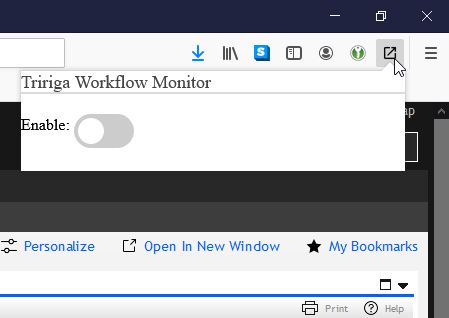
Plugin to monitor count of running workflows on a Tririga server Plugin use the host name of the URL for the current tab to identify the server to monitor
1 User1 User
Extension Metadata
Screenshots
About this extension
Tririga is a popular IWMS system developed by IBM.
System administrators and integrators working on Tririga deployments, frequently have a need to monitor the back-end processes. Typically this is done in a separate browser window.
This Add-on allow for monitoring the size of the back-end workflow queue, with a counter displayed in top right corner of the browser window.
The workflow count is updated automatically.
The add-on expects the server to be hosted on secure server (unsecured HTTP servers are not supported).
The default monitor location used by the plugin is /html/en/default/admin/monitor.jsp?username=system&action=WF_EVENT_COUNT
which can be updated on the options page.
System administrators and integrators working on Tririga deployments, frequently have a need to monitor the back-end processes. Typically this is done in a separate browser window.
This Add-on allow for monitoring the size of the back-end workflow queue, with a counter displayed in top right corner of the browser window.
The workflow count is updated automatically.
The add-on expects the server to be hosted on secure server (unsecured HTTP servers are not supported).
The default monitor location used by the plugin is /html/en/default/admin/monitor.jsp?username=system&action=WF_EVENT_COUNT
which can be updated on the options page.
Rated 0 by 0 reviewers
Permissions and data
More information
- Add-on Links
- Version
- 1.0.1
- Size
- 45.01 KB
- Last updated
- 6 years ago (May 18, 2020)
- Related Categories
- Version History
- Add to collection