QRier 作者: MrOtherGuy
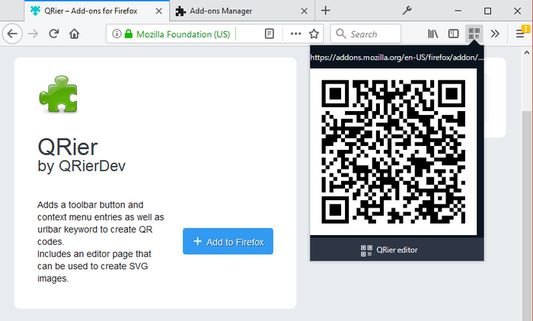
Adds a toolbar button and context menu entries as well as urlbar keyword to create QR codes. Includes an editor page that can be used to create SVG images.
18 位使用者18 位使用者
擴充套件後設資料
畫面擷圖
關於此擴充套件
Clicking the toolbar button generates a QR code containing the address of the current page. Optional context menu items can be used to generate a symbol from link addresses, selected text or current page address.
NOTICE: This includes all the characters so please use with caution if the address contains login info. No information is sent anywhere, everything runs locally.
Bundled QRier editor can be used to generate symbols from arbitrary text as well as select settings and scale the symbol. Editor outputs to SVG which can also be saved on local machine.
There is two ways to access the editor. One is to click the "QRier editor" button in the popup. The other one is from within address bar by typing "qrier" followed with a space and then your query.
On Android QRier can only be accessed through 3-dot menu button because the extension API doesn't support context menu entries or keywords.
NOTICE: This includes all the characters so please use with caution if the address contains login info. No information is sent anywhere, everything runs locally.
Bundled QRier editor can be used to generate symbols from arbitrary text as well as select settings and scale the symbol. Editor outputs to SVG which can also be saved on local machine.
There is two ways to access the editor. One is to click the "QRier editor" button in the popup. The other one is from within address bar by typing "qrier" followed with a space and then your query.
On Android QRier can only be accessed through 3-dot menu button because the extension API doesn't support context menu entries or keywords.
由 1 位評論者給出 5 分
更多資訊
- 版本
- 2.1
- 大小
- 55.47 KB
- 最近更新
- 2 年前 (2024年1月12日)
- 版本紀錄
- 新增至收藏集