Femmage geliştiren: eliaspourquoi
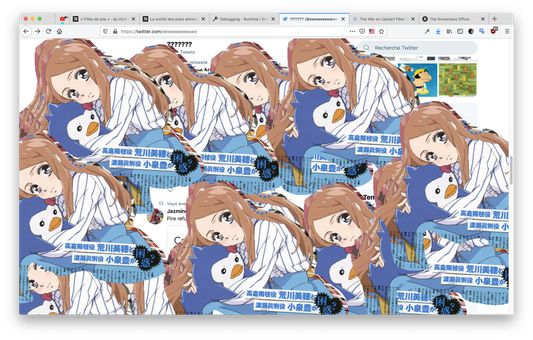
Make any web page a canvas to select, copy and paste anywhere else. Works using Shortcuts Keys.
Kullanıcı yokKullanıcı yok
Uzantı meta verileri
Ekran görüntüleri
Bu uzantı hakkında
Works in any tabs, you can copy from a tab and paste in another tab, or in an other software, anywhere.
Ctrl/Cmd+D: Switch modes (Hidden, Clip and Paste)
Ctrl/Cmd+V (Paste mode): Paste any image into the screen and use the mouse to drag it over.
Ctrl/Cmd+C (Clip mode): Copy any clip you did using the mouse in clip mode.
Mouse-Left (Clip mode): Draw an area you want to select for copy.
Mouse-Left (Paste mode): Drag any image you paste from your clipboard.
Name Inspiration: https://fr.wikipedia.org/wiki/Femmage
Ctrl/Cmd+D: Switch modes (Hidden, Clip and Paste)
Ctrl/Cmd+V (Paste mode): Paste any image into the screen and use the mouse to drag it over.
Ctrl/Cmd+C (Clip mode): Copy any clip you did using the mouse in clip mode.
Mouse-Left (Clip mode): Draw an area you want to select for copy.
Mouse-Left (Paste mode): Drag any image you paste from your clipboard.
Name Inspiration: https://fr.wikipedia.org/wiki/Femmage
0 inceleyiciden 0 puan aldı
İzinler ve veriler
Daha fazla bilgi
- Eklenti bağlantıları
- Sürüm
- 0.1
- Boyut
- 85,99 KB
- Son güncelleme
- 6 yıl önce (27 Haz 2020)
- İlgili kategoriler
- Sürüm geçmişi
- Koleksiyona ekle