Website History Delete од TheWebDev
Allows the user to delete history of a particular website.
4 корисника4 корисника
Метаподаци додатка
Снимци екрана
О овом додатку
Sometimes you want to delete all the history related to a website you visited. Say you visited many links in github.com and don't want anyone to find it.
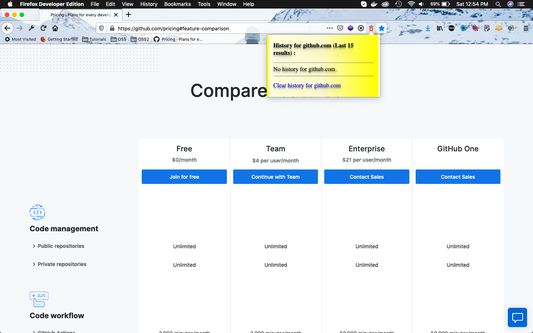
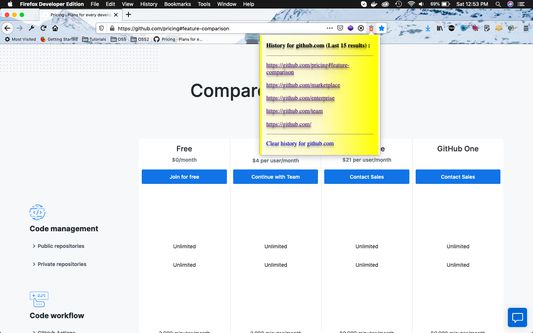
Then from any gitbub.com tab ,click on the "red trash" icon inside the browser's URL bar.
It gives a popup of the last 15 github.com links you visited . Click on "Clear history for github.com" to clear all history.
Then from any gitbub.com tab ,click on the "red trash" icon inside the browser's URL bar.
It gives a popup of the last 15 github.com links you visited . Click on "Clear history for github.com" to clear all history.
Оцењено са 2 од стране 4 рецензената
Овлашћења и подаци
Више информација
- Издање
- 1.0
- Величина
- 15,42 KB
- Последњи пут ажурирано
- pre 6 godina (25. apr. 2020.)
- Повезане категорије
- Дозвола
- Јавна дозвола Mozilla 2.0
- Историјат издања
- Додај у збирку