
Vertical Tree Tabs од Bill
Display your tabs in a sidebar.
127 корисника127 корисника
Метаподаци додатка
Снимци екрана
О овом додатку
Usage:
How to hide the Firefox tab bar and the sidebar header:
Add this code in your userChrome.css :
How to move the "new tab" button to the url toolbar:
Right click on the "new tab" button in the Firefox tab bar , select "Customize" and drag and drop the button in the url toolbar
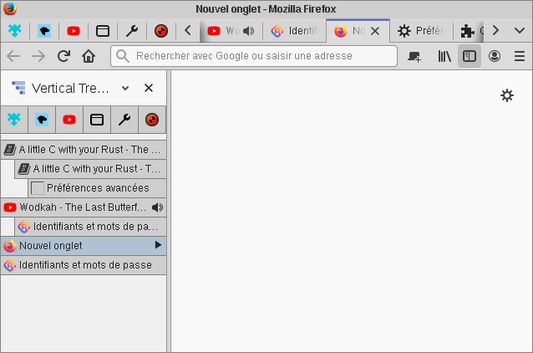
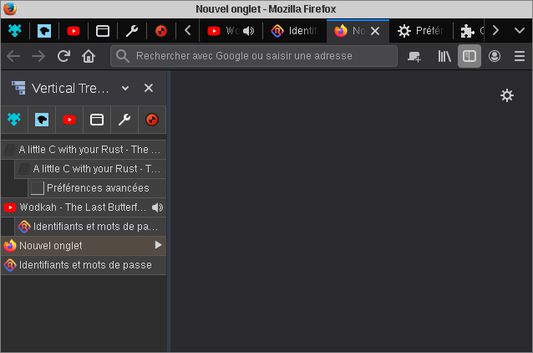
- Drag and drop tabs to reorder them and create trees.
- Click on the favicon of a tab to expand/collapse his tree.
- The arrow to the right of a tab means that the tab is a collapsed tree.
- Press "F1" to display/hide the sidebar.
How to hide the Firefox tab bar and the sidebar header:
Add this code in your userChrome.css :
#TabsToolbar, #sidebar-header { display: none; }How to move the "new tab" button to the url toolbar:
Right click on the "new tab" button in the Firefox tab bar , select "Customize" and drag and drop the button in the url toolbar
Оцењено са 4,3 од стране 7 рецензената
Овлашћења и подаци
Више информација
- Везе додатка
- Издање
- 1.5.1
- Величина
- 16,67 KB
- Последњи пут ажурирано
- pre jedne godine (15. mar. 2025.)
- Дозвола
- Јавна дозвола Mozilla 2.0
- Историјат издања
- Додај у збирку