
Tip Tab од William Wng
Visual and textual navigation of the browser tabs. Tab manager.
324 корисника324 корисника
Метаподаци додатка
Снимци екрана


О овом додатку
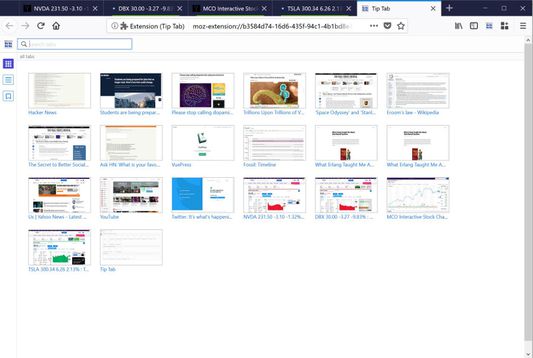
Tip Tab let you manage and navigate the open browser tabs visually, similar to the Exposé feature on Mac OS.
NOTE: Starting from version 2.15, Tip Tab requires Firefox 67, to utilize the ES6 module feature.
Bonus in 2.16: Smart New Tab shortcut - create a new tab in the container of the current tab, with Ctrl+Alt+T.
Feature Highlight:
Permissions Usage Disclosure:
(This extension requires the following permissions to function properly.)
Information:
Issues:
NOTE: Starting from version 2.15, Tip Tab requires Firefox 67, to utilize the ES6 module feature.
Bonus in 2.16: Smart New Tab shortcut - create a new tab in the container of the current tab, with Ctrl+Alt+T.
Feature Highlight:
- Visual tab navigation.
- Textual tab navigation.
- Visual/textual tab navigation with keyboard.
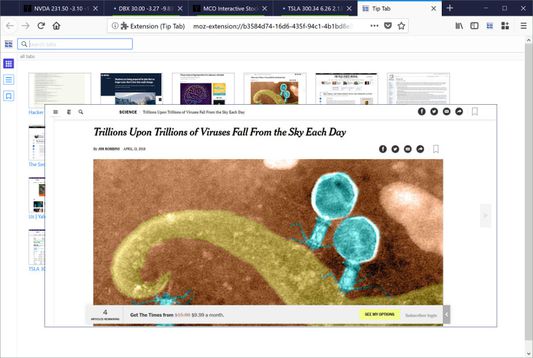
- Tab preview on popup.
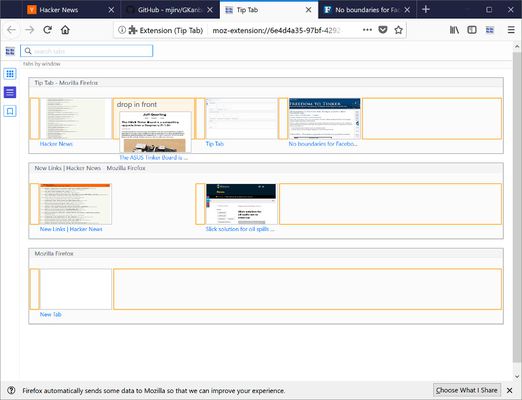
- Showing tabs by all, by windows, or by containers.
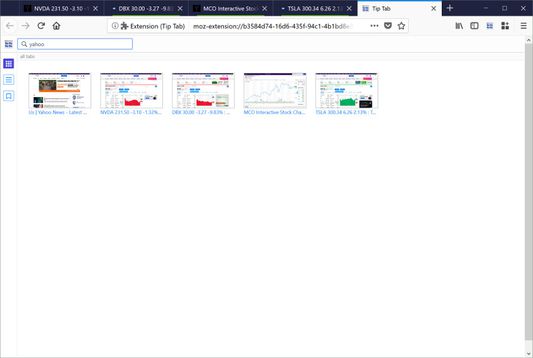
- Search tabs by searching words in titles.
- Filter tabs by status (audible, muted, pinned, hidden).
- Save search keywords to build pre-set tab filters.
- Showing tab attributes with decoration, colors, and status icons.
- Tab commands: reload, hide, mute, pin, copy, screenshot download, various flavors of close commands, etc.
- Window commands, applying to all the tabs in a window.
- Global commands, applying to all the tabs.
- Drag and drop to re-arrange tabs within a window or a container.
- Drag and drop to move tabs across windows and containers.
- Drag and drop to copy tabs across different domains (containers and private windows).
- Live sync of outside tab events and window events (create, move, close, etc).
- Live sync of website navigation on tab.
- Custom sizes of tab thumbnails.
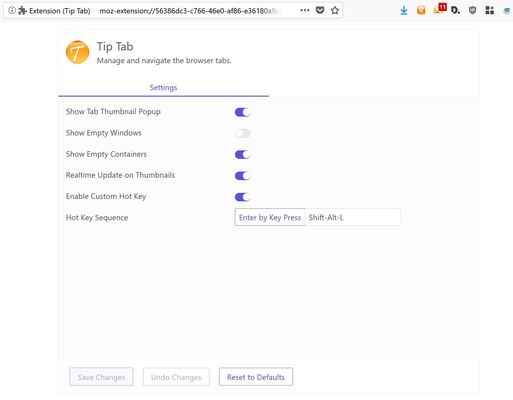
- Custom hot key.
- Options page.
- Bonus: Smart New Tab shortcut - create a new tab in the container of the current tab, with Ctrl+Alt+T.
Permissions Usage Disclosure:
(This extension requires the following permissions to function properly.)
- The "tabs" permission is needed to access the properties of the tabs.
- The "storage" permission is needed to save settings.
- The "cookies" permission is needed to get the "cookieStoreId" property in a tab, which is the tab's container Id. (Note: the "cookies" permission will cause the display of the notice, "It requires permission to: Access your data for all websites," during installation.)
- The "contextualIdentities" permission is required to retrieve the container information.
- The "sessions" permission is used to undo closed tab.
- The "downloads" permission is used to let user download the tab window screenshot.
- The "tabHide" permission is used to hide and show tabs.
Information:
- Ctrl+Shift+L is the default hotkey to activate Tip Tab; also for cycling through the tab focus.
- Ctrl+Shift+F is the default hotkey to search Tip Tab.
- Custom hotkeys can be set up in the Options page to override the default ones.
- The Options page can be brought up from Firefox's addon manager or from the dropdown menu at upper right hand corner.
- Reload the Tip Tab page (or the Refresh All command) to refresh all the tabs.
- This extension requires Firefox 61 and up.
- Dragging and dropping tabs across security domains (containers and normal/private windows) would only copy the tab's url and open it as new.
The tab history and cookies are NOT copied, to maintain the security isolation of the tabs.
Issues:
- For keyboard navigation, the Tab key will cycle the focus through the tabs, plus onto the Firefox controls on the frame, such as the address bar, the search bar.
Cycling the focus to outside controls is part of the normal handling on the Tab key by Firefox and cannot be changed.
The hotkey will only cycle the focus through the tabs and Tip Tab's search field.
Оцењено са 4,2 од стране 37 рецензената
Овлашћења и подаци
Потребна овлашћења:
- Преузимање датотека, читање и измена историје преузимања
- Приступи недавно затвореним језичцима
- Сакријте и прикажите језичке прегледача
- Приступи језичцима прегледача
- Приступ подацима за све веб странице
Више информација
- Везе додатка
- Издање
- 2.21
- Величина
- 412,65 KB
- Последњи пут ажурирано
- pre 2 godine (15. maj 2024.)
- Повезане категорије
- Историјат издања
- Додај у збирку