Tabswiper од He4eT
Clear the list of your tabs from outdated and unnecessary ones
2 корисника2 корисника
Метаподаци додатка
Снимци екрана
О овом додатку
A Firefox extension that makes trimming your tabs as effortless as swiping on a dating app.
How to Use It:
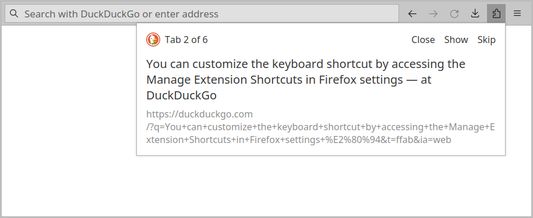
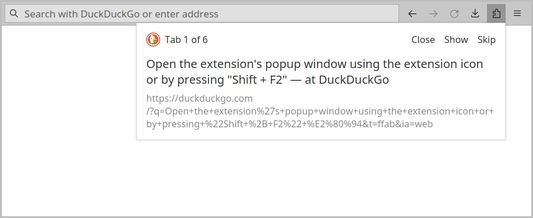
1. Open the extension's popup window using the extension icon or by pressing Shift + F2. You can customize the keyboard shortcut by accessing the Manage Extension Shortcuts in Firefox settings.
2. Navigate through your list of open tabs using buttons or your keyboard:
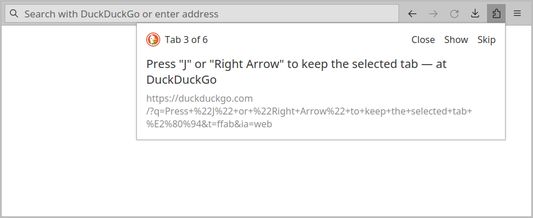
- Press J or Right Arrow to keep the selected tab.
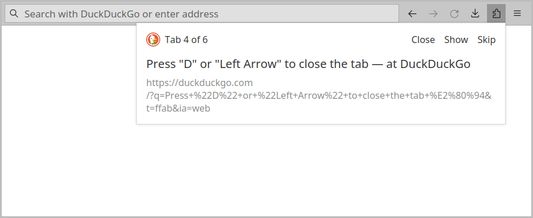
- Press D or Left Arrow to close the tab.
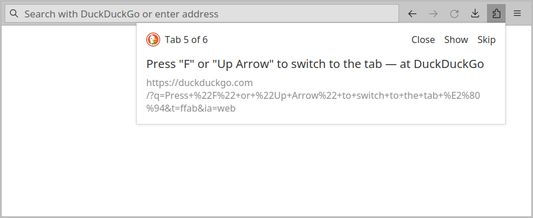
- Press F or Up Arrow to switch to the tab.
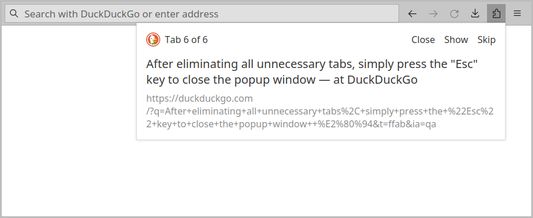
3. After eliminating all unnecessary tabs, simply press the Esc key to close the popup window.
How to Use It:
1. Open the extension's popup window using the extension icon or by pressing Shift + F2. You can customize the keyboard shortcut by accessing the Manage Extension Shortcuts in Firefox settings.
2. Navigate through your list of open tabs using buttons or your keyboard:
- Press J or Right Arrow to keep the selected tab.
- Press D or Left Arrow to close the tab.
- Press F or Up Arrow to switch to the tab.
3. After eliminating all unnecessary tabs, simply press the Esc key to close the popup window.
Оцењено са 5 од стране 2 рецензената
Овлашћења и подаци
Више информација
- Издање
- 1.0.1
- Величина
- 14,8 KB
- Последњи пут ажурирано
- pre 2 godine (19. jan. 2024.)
- Повезане категорије
- Дозвола
- MIT дозвола
- Историјат издања
- Додај у збирку