
SecureSafe Password Manager од DSwiss AG
Use the SecureSafe password manager to keep track of your ever-growing list of passwords.
1.243 корисника1.243 корисника
Метаподаци додатка
Снимци екрана
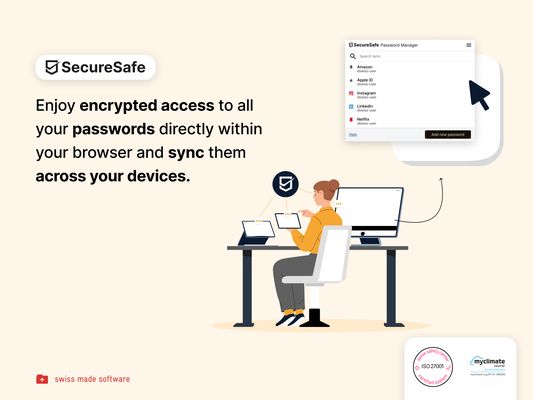

О овом додатку
Password management directly from your browser
With the SecureSafe Browser Extension, you can log into websites, online stores or web applications directly from your browser.
How do I log in to the SecureSafe Password Manager from my browser?
Open the SecureSafe password manager by clicking on the SecureSafe icon in the top right-hand corner of the browser bar. Now log in with your SecureSafe username and password. If you do not yet have a SecureSafe account, you can register for free via our web or mobile app.
How can I automatically insert passwords in the login field?
Search for the password entry using the search field. Select the desired password entry with the mouse and click on the "Fill in" button to automatically populate the login fields.
With the SecureSafe Browser Extension, you can log into websites, online stores or web applications directly from your browser.
How do I log in to the SecureSafe Password Manager from my browser?
Open the SecureSafe password manager by clicking on the SecureSafe icon in the top right-hand corner of the browser bar. Now log in with your SecureSafe username and password. If you do not yet have a SecureSafe account, you can register for free via our web or mobile app.
How can I automatically insert passwords in the login field?
Search for the password entry using the search field. Select the desired password entry with the mouse and click on the "Fill in" button to automatically populate the login fields.
Оцењено са 4 од стране 20 рецензената
Овлашћења и подаци
Потребна овлашћења:
- Покажите обавештења
- Приступи језичцима прегледача
- Приступи радњама прегледача приликом навигације
- Приступ подацима за све веб странице
Више информација
- Издање
- 1.4.1.1
- Величина
- 4,75 MB
- Последњи пут ажурирано
- pre jedne godine (28. okt. 2025.)
- Повезане категорије
- Дозвола
- Сва права су задржана
- Политика приватности
- Прочитајте политику приватности за овај додатак
- Историјат издања
- Ознаке
- Додај у збирку