Search Tools од Vigneshwaran R
Search the web, well now more effectively , effortlessly and with full privacy with these one click shortcut actions!
Нема корисникаНема корисника
Метаподаци додатка
Снимци екрана
О овом додатку
*** Major Update ***
1.Search tools now will work across Google,Bing,DuckDuckGo search engines !!!
2.Name changed from Wand Tools to Search Tools for better visibility.
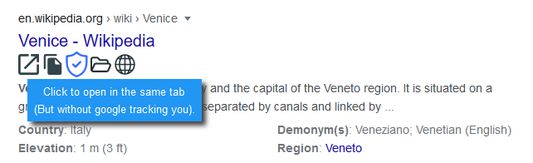
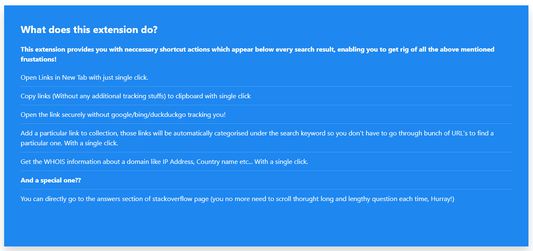
This add-on provides useful buttons right below every search results which serves the following features
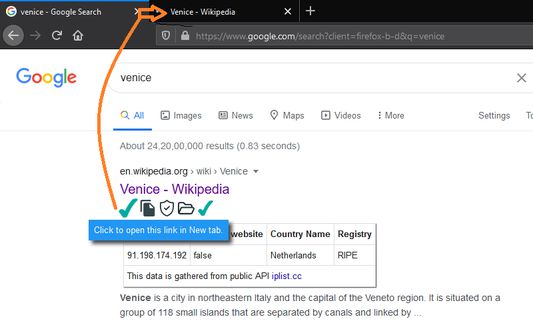
Open in New Tab
You can Open a link in another tab (But you stay in the current tab in this way you can open several tabs at once for referencing)
Copy Direct links to Clipboard
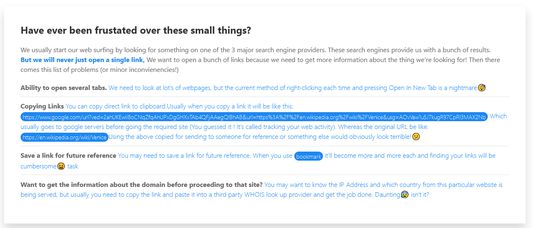
You can copy direct link to clipboard.Usually when you copy a link it will be like this:
But when copied using our extension only original url will be copied
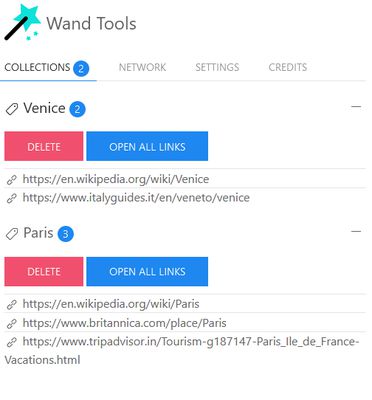
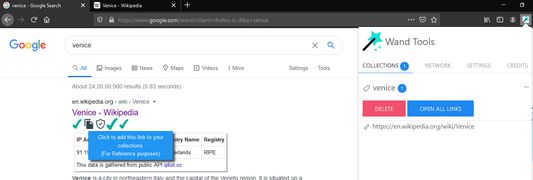
Add a link to your own collections
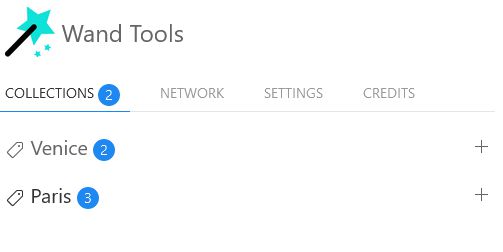
This feature lets you organize & save bunch or urls as collections.Which are automatically categorized for you under the same search query you used to pull up the results. It manages all those small stuffs so that you don't have to!
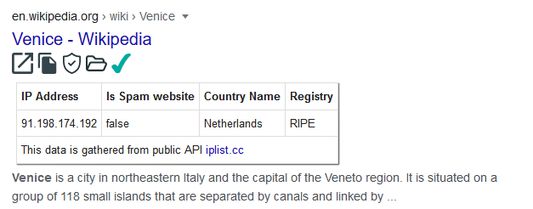
Do a WHOIS lookup of that domain
Ever wondered if there's easy way to perform WHOIS lookup without copy pasting urls into another website? Then this feature will absolutely amaze you . It provide the WHOIS info right below the search result! No page reloading , No redirections , No going to another tab! Handy right?
Special feature
** GoTo Answer button for stackoverflow links **
A Special action which lets users go directly to the answer section of stackoverflow link (It will only appear whenever your search result contains links from stackoverflow)
1.Search tools now will work across Google,Bing,DuckDuckGo search engines !!!
2.Name changed from Wand Tools to Search Tools for better visibility.
This add-on provides useful buttons right below every search results which serves the following features
- Open in New Tab
- Copy Direct links to Clipboard
- Add a link to your own collections
- Do a WHOIS lookup of that domain
Open in New Tab
You can Open a link in another tab (But you stay in the current tab in this way you can open several tabs at once for referencing)
Copy Direct links to Clipboard
You can copy direct link to clipboard.Usually when you copy a link it will be like this:
https://www.google.com/url?sa=t&rct=j&q=&esrc=s&source=web&cd=&cad=rja&uact=8&ved=2ahUKEwiI8oCNqZfqAhUPxDgGHXxTAb4QFjAAegQIBhAB&url=https%3A%2F%2Fen.wikipedia.org%2Fwiki%2FVenice&usg=AOvVaw1u5J7kugR97CpRl3MAX2Nb
But when copied using our extension only original url will be copied
https://en.wikipedia.org/wiki/Venice
Add a link to your own collections
This feature lets you organize & save bunch or urls as collections.Which are automatically categorized for you under the same search query you used to pull up the results. It manages all those small stuffs so that you don't have to!
Do a WHOIS lookup of that domain
Ever wondered if there's easy way to perform WHOIS lookup without copy pasting urls into another website? Then this feature will absolutely amaze you . It provide the WHOIS info right below the search result! No page reloading , No redirections , No going to another tab! Handy right?
Special feature
** GoTo Answer button for stackoverflow links **
A Special action which lets users go directly to the answer section of stackoverflow link (It will only appear whenever your search result contains links from stackoverflow)
Оцењено са 0 од стране 0 рецензената
Овлашћења и подаци
Потребна овлашћења:
- Унос података у оставу
- Приступи језичцима прегледача
- Приступ подацима за све веб странице
Више информација
- Издање
- 1.4
- Величина
- 128,27 KB
- Последњи пут ажурирано
- pre 6 godina (7. jul 2020.)
- Повезане категорије
- Дозвола
- Сва права су задржана
- Историјат издања
- Додај у збирку
Програмер овог додатка вас моли да помогнете у подршци за његов даљи развој тако што ћете дати мали допринос.