
Proxy Toggle од Ben
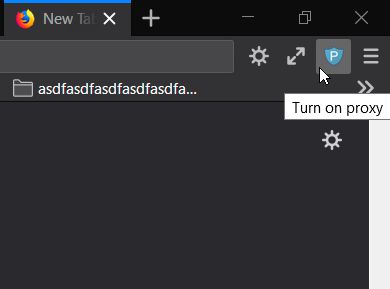
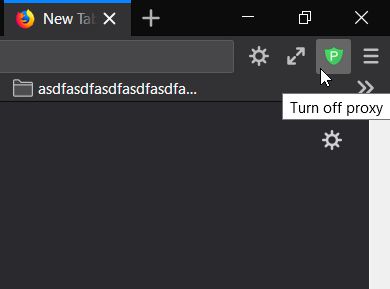
Button to switch between system-set (off) and manually-set (on) proxy.
229 корисника229 корисника
Метаподаци додатка
Снимци екрана
О овом додатку
This extension uses the existing proxy settings in Firefox. It simply adds a toggle button to the toolbar.
The Firefox proxy settings are in:
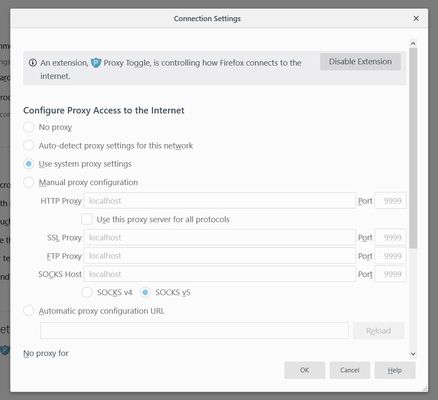
[Options > General > Network Settings > Configure Proxy Access to the Internet].
To change the proxy configuration or the default on/off state:
The add-on must be allowed in Private Windows to work (FF 67+).
Advanced note:
The extension resets the proxy setting on startup. If there are no other extensions modifying it, the setting will revert to the user-set value. To learn more about how Firefox manages setting changes, see Firefox BrowserSetting (MDN).
The Firefox proxy settings are in:
[Options > General > Network Settings > Configure Proxy Access to the Internet].
To change the proxy configuration or the default on/off state:
- Disable the extension.
- Change the Firefox proxy settings.
- Re-enable the extension.
The add-on must be allowed in Private Windows to work (FF 67+).
Advanced note:
The extension resets the proxy setting on startup. If there are no other extensions modifying it, the setting will revert to the user-set value. To learn more about how Firefox manages setting changes, see Firefox BrowserSetting (MDN).
Оцењено са 4 од стране 31 рецензента
Овлашћења и подаци
Више информација
- Везе додатка
- Издање
- 1.3
- Величина
- 30,17 KB
- Последњи пут ажурирано
- pre 7 godina (27. okt. 2019.)
- Повезане категорије
- Дозвола
- Сва права су задржана
- Историјат издања
- Додај у збирку