
Keyboard Shortcut for Tab Duplication од Patrick Dark
Adds a keyboard shortcut, Alt+/, for tab duplication.
7 корисника7 корисника
Метаподаци додатка
Снимци екрана
О овом додатку
Features
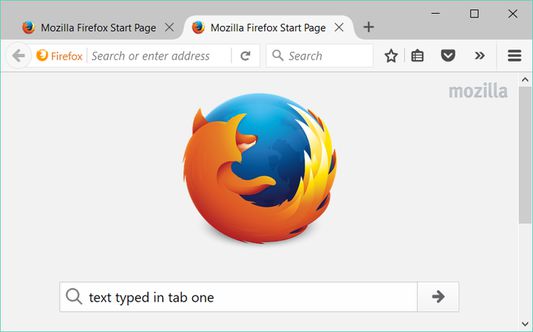
Keyboard Shortcut for Tab Duplication (KSFTD) adds a keyboard shortcut, Alt+/, that allows tab duplication through a means other than Ctrl‐clicking or middle‐clicking the “Reload current page” button while maintaining the same duplication behavior. For example, KSFTD‐based tab duplication preserves the document scroll position and contents of text fields.
By default, a notification is briefly displayed when a tab is duplicated to indicate that tab duplication occurred as a result of the extension’s keyboard shortcut.
Notification display, notification icon display, and notification duration can be configured via the extension’s options page.
(Note: Due to a bug, notification options are ignored in version 3.0.1. They work in version 3.1.0 which was submitted for addons.mozilla.org review on 2017 August 7.)
Options utilize sync storage (as opposed to local storage) and will therefore synchronize across Mozilla Firefox installations for users using Firefox Sync with appropriate Sync preferences enabled.
KSFTD is localized in English, simplified Chinese, and traditional Chinese. Localization can be changed by installing locale‐specific versions of Mozilla Firefox and defaults to English if no localization is available for a locale.
Limitations
Due to limitations of the WebExtensions
Furthermore, due to security restrictions, KSFTD cannot duplicate addons.mozilla.org documents.
These limitations will be removed in a future release should the WebExtensions
If the keyboard shortcut does not work and both of the preceding caveats are inapplicable, it is likely that keyboard focus is located outside of the active tab document (usually in the browser’s address bar or search bar). Moving focus into the document by clicking it or by navigating to it via use of the Tab key will allow use of the shortcut. This behavior is not a bug.
Keyboard Shortcut for Tab Duplication (KSFTD) adds a keyboard shortcut, Alt+/, that allows tab duplication through a means other than Ctrl‐clicking or middle‐clicking the “Reload current page” button while maintaining the same duplication behavior. For example, KSFTD‐based tab duplication preserves the document scroll position and contents of text fields.
By default, a notification is briefly displayed when a tab is duplicated to indicate that tab duplication occurred as a result of the extension’s keyboard shortcut.
Notification display, notification icon display, and notification duration can be configured via the extension’s options page.
(Note: Due to a bug, notification options are ignored in version 3.0.1. They work in version 3.1.0 which was submitted for addons.mozilla.org review on 2017 August 7.)
Options utilize sync storage (as opposed to local storage) and will therefore synchronize across Mozilla Firefox installations for users using Firefox Sync with appropriate Sync preferences enabled.
KSFTD is localized in English, simplified Chinese, and traditional Chinese. Localization can be changed by installing locale‐specific versions of Mozilla Firefox and defaults to English if no localization is available for a locale.
Limitations
Due to limitations of the WebExtensions
commands API that disallow use of the keyboard shortcut Alt+/, KSFTD will only duplicate tabs displaying documents located at file, ftp, http, and https scheme‐based URLs. In other words, KSFTD will not duplicate tabs displaying documents located at about, chrome, data, resource, view-source, or other scheme‐based URLs. (New Tab tabs, which are superficially unassociated with a URL, are located at the URL about:newtab.)Furthermore, due to security restrictions, KSFTD cannot duplicate addons.mozilla.org documents.
These limitations will be removed in a future release should the WebExtensions
commands API be extended to allow the keyboard shortcut Alt+/.If the keyboard shortcut does not work and both of the preceding caveats are inapplicable, it is likely that keyboard focus is located outside of the active tab document (usually in the browser’s address bar or search bar). Moving focus into the document by clicking it or by navigating to it via use of the Tab key will allow use of the shortcut. This behavior is not a bug.
Оцењено са 3,3 од стране 6 рецензената
Овлашћења и подаци
Више информација
- Издање
- 3.1.1resigned1
- Величина
- 26,17 KB
- Последњи пут ажурирано
- pre 2 godine (25. apr. 2024.)
- Повезане категорије
- Дозвола
- Јавна дозвола Mozilla 2.0
- Историјат издања
- Додај у збирку