Додаци за прегледач Firefox
  • Проширења
  • Теме
    • за Firefox
    • Речници и језички пакети
    • Странице других прегледача
    • Додаци за Android
Пријавите се
Преглед Go Focus Self

Go Focus Self од em_te

Press Ctrl+Shift+1 (customizable) when on a webpage with a text box to automatically focus the text box that is nearest the center of the screen. This works even when you have scrolled down the webpage as only visible text boxes get focused.

5 (2 рецензија)5 (2 рецензија)
8 корисника8 корисника
Преузмите Firefox и добијте додатак
Преузмите датотеку

Метаподаци додатка

Снимци екрана
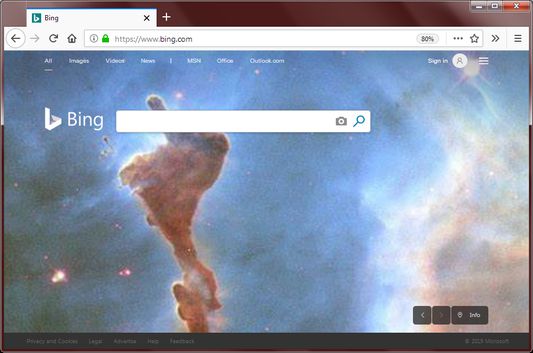
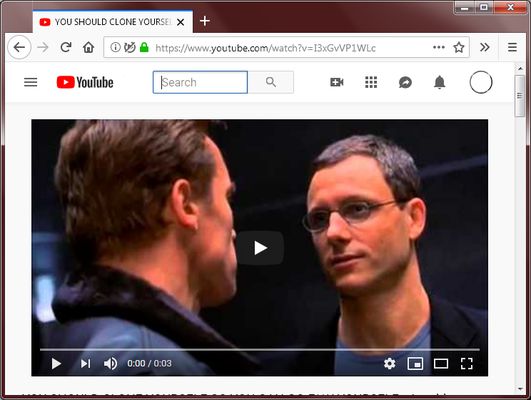
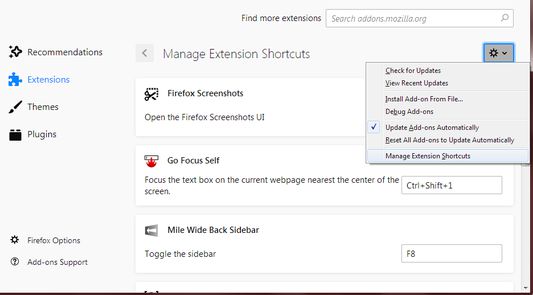
If a webpage has a text box near the center of the screen, it will be focused when the keyboard shortcut is pressed.Even if the text box is near the top, it will also be focused when the keyboard shortcut is pressed.Change the shortcut key here.
О овом додатку
Why:
Many webpages require typing as the first thing you do. This includes entering your username to login or typing text to perform a search. Sometimes the webpage won't focus the main text box for the user, which means the user needs to click it with the mouse which is an extra step.

Sometimes your hands are already on the keyboard ready to type and moving your hand back to the mouse to click and then move your hand back to the keyboard is simply too much work.

How:
With the extension, simply press Ctrl + Shift + 1 (customizable) to put the text cursor into the main input field on the webpage.

Features:
This extension is different than simply pressing Tab to move the focus to the webpage's form controls.

This extension has the following unique features:
  • Only text boxes are focused, buttons and links are ignored.
  • If multiple text boxes are present, the text box closest to the center of the screen is focused. This allows you to focus the login box instead of the search box.
  • Only text boxes at the current scroll position are focused. This prevents focusing text boxes at the very top or very bottom of the page.
  • If there is a password text box and a normal text box near each other, the password text box has less priority.
  • If the webpage has a text box with the autofocus attribute, it is selected first.

Customization:
To customize the keyboard shortcut, click on the Firefox hamburger menu -> Add-ons -> Click the Gear icon in the top right -> Manage Extension Shortcuts

Permissions:
I am pleased to report that this extension requires no permissions to run. Other extensions request permission to access all websites but this one don't.
Оцењено са 5 од стране 2 рецензената
Пријавите се да бисте оценили овај додатак
Још увек нема оцена

Оцена звездицама сачувана

5
2
4
0
3
0
2
0
1
0
Прочитајте 2 рецензије
Више информација
Везе додатка
  • Копирај ИД додатка
Издање
0.2.1
Величина
18,65 KB
Последњи пут ажурирано
pre 7 godina (9. sep. 2019.)
Повезане категорије
  • Алатке за претраживање
  • Изглед
Дозвола
Јавна дозвола Mozilla 2.0
Историјат издања
  • Погледајте сва издања
Додај у збирку
Пријави овај додатак
Идите на почетну страницу Mozilla-е

Додаци

  • O програму
  • Блог о додацима за Firefox
  • Радионица за додатке
  • Центар за програмере
  • Политике програмера
  • Блог заједнице
  • Форум
  • Пријавите грешку
  • Водич за оцењивање

Преузмите

  • Download Firefox
  • Windows
  • macOS
  • iOS
  • Android
  • Linux
  • All

Најновије градње

  • Nightly
  • Beta

Firefox за предузећа

  • Enterprise

Заједница

  • Connect
  • Contribute
  • Developer

Прати

  • Instagram
  • YouTube
  • TikTok
  • Bluesky
  • Podcast
  • Приватност
  • Колачићи
  • Права

Изузев тамо где је другачије наведено , садржај на овој страници је лиценциран под Creative Commons Attribution Share-Alike дозволом v3.0 или било којим каснијим издањем.