Focus input element од sa1hon
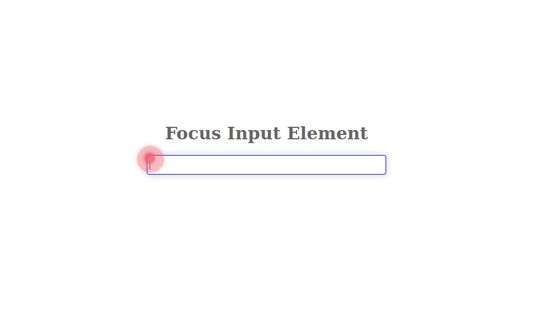
Pressing the shortcut key moves the cursor to the text box on the Web page.
40 корисника40 корисника
Метаподаци додатка
Снимци екрана
О овом додатку
Overview:
Pressing the shortcut key moves the cursor to the text box on the Web page.
The default shortcut keys:
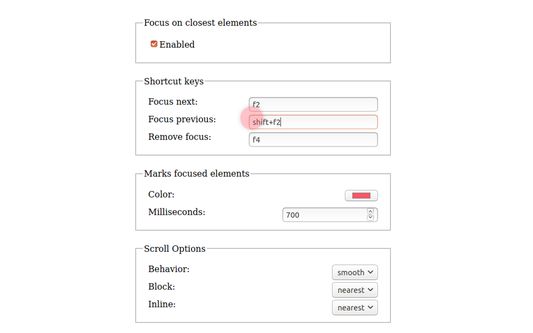
- Next input box: F2
- Previous input box: Shift+F2
- Unfocus: F4
- First input box: Default unspecified
- Last input box: Default unspecified
Features:
- Press the key repeatedly to move to the next or previous input box.
- Focus is available on the nearest input box in the active area of the scrolled page.
- Markers allow you to locate the input box.
- These settings can be changed on the Options page.
Source repository: https://github.com/saihon/focus-input-element
Pressing the shortcut key moves the cursor to the text box on the Web page.
The default shortcut keys:
- Next input box: F2
- Previous input box: Shift+F2
- Unfocus: F4
- First input box: Default unspecified
- Last input box: Default unspecified
Features:
- Press the key repeatedly to move to the next or previous input box.
- Focus is available on the nearest input box in the active area of the scrolled page.
- Markers allow you to locate the input box.
- These settings can be changed on the Options page.
Source repository: https://github.com/saihon/focus-input-element
Оцењено са 5 од стране 4 рецензената
Овлашћења и подаци
Више информација
- Издање
- 1.5.6
- Величина
- 47,17 KB
- Последњи пут ажурирано
- pre 2 godine (16. jul 2024.)
- Повезане категорије
- Дозвола
- Јавна дозвола Mozilla 2.0
- Историјат издања
- Додај у збирку