
Editable QR Generator од xyx_is
Editable and configurable opensource offline QR Code generator. You can generate QR Code from any text and can save as image file without any web connection. Only requires minimal permissions to get URL and title of current page.
39 корисника39 корисника
Метаподаци додатка
Снимци екрана
О овом додатку
Editable and configurable offline QR Code generator Web extension addon.
Features
Usage
There are several gif animations to describe usage in GitHub and addon help.
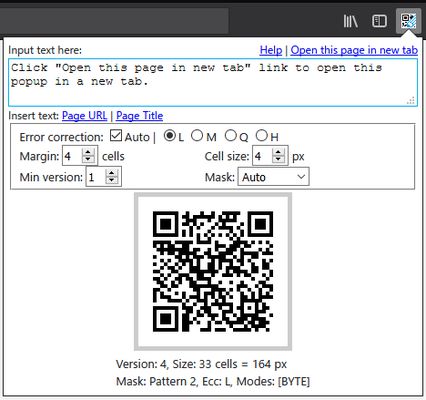
This addon creates a toolbar button with a popup page.
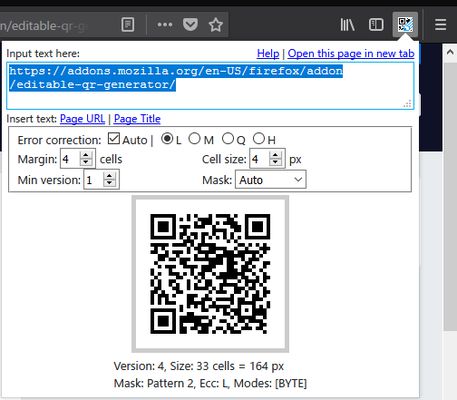
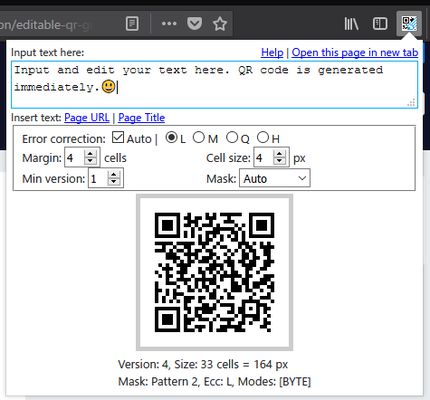
You can generate QR Code by entering any text in the textarea on the head of the popup.
[Insert the URL and the title of the current page]
By clicking the links beside "Insert page", you can insert the URL and the title of the current page into the textarea.
[Configure QR Code setting]
By changing form inputs in the fieldset middle of the popup, you can Configure QR Code setting.
You can check the description in the tooltips of the form inputs.
[Open QR Code in a new tab and save]
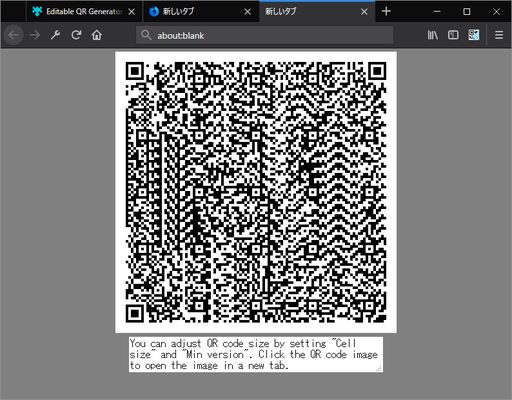
By clicking the QR Code canvas, you can Open the QR Code image in a new tab.
You can save the QR Code in the new tab.
Also, if you are using Firefox, you can directly save the QR Code image by right clicking the the QR Code canvas.
Bug Report and Contribution
This addon is maintained at GitHub. Please report bug at Issues. Thank you.
Your contribution is welcome. Especially, locale contributions are appreciated.
License
MIT License. Third-party libraries are listed below.
Third-party libraries
This project uses following Third-party libraries.
Notice
QR Code is a registered trademark of DENSO WAVE INCORPORATED.
Features
- Editable: You can generate QR Code from any text.
- Configurable: You can configure error correction level, size, and mask pattern etc.
- Offline: QR Code is generated offline. This addon never generates web connection.
- Minimal permissions: This addon only requires "activeTab" permissions to get the URL and the title of the current page. Please verify the manifest.json.
- Open Source: Source code is hosted at https://github.com/xyx-is/Editable-QR-Generator. Your contribution is welcome.
- UTF-8: Support UTF-8 encoding. This means you can use multibyte characters, Emoji etc.
Usage
There are several gif animations to describe usage in GitHub and addon help.
This addon creates a toolbar button with a popup page.
You can generate QR Code by entering any text in the textarea on the head of the popup.
[Insert the URL and the title of the current page]
By clicking the links beside "Insert page", you can insert the URL and the title of the current page into the textarea.
[Configure QR Code setting]
By changing form inputs in the fieldset middle of the popup, you can Configure QR Code setting.
You can check the description in the tooltips of the form inputs.
[Open QR Code in a new tab and save]
By clicking the QR Code canvas, you can Open the QR Code image in a new tab.
You can save the QR Code in the new tab.
Also, if you are using Firefox, you can directly save the QR Code image by right clicking the the QR Code canvas.
Bug Report and Contribution
This addon is maintained at GitHub. Please report bug at Issues. Thank you.
Your contribution is welcome. Especially, locale contributions are appreciated.
License
MIT License. Third-party libraries are listed below.
Third-party libraries
This project uses following Third-party libraries.
- QR Code generator library by Project Nayuki
- This project retrieved JavaScript library qrcodegen.js from https://github.com/nayuki/QR-Code-generator/blob/master/javascript/qrcodegen.js
- This library is licensed under MIT License and the copyright term is in the head of the file.
Notice
QR Code is a registered trademark of DENSO WAVE INCORPORATED.
Оцењено са 5 од стране 2 рецензената
Више информација
- Издање
- 1.0.2
- Величина
- 965,26 KB
- Последњи пут ажурирано
- pre 6 godina (11. jun 2020.)
- Повезане категорије
- Дозвола
- MIT дозвола
- Историјат издања
- Додај у збирку