
Download Master од WestByte Software
Intercept downloads for Download Master, download a file or a group of files from the context menu.
3.354 корисника3.354 корисника
Метаподаци додатка
Снимци екрана
О овом додатку
Download with Download Master* by clicking on the any file link. Enable or disable browser integration from the extension menu, set the minimum file size from the extension options.
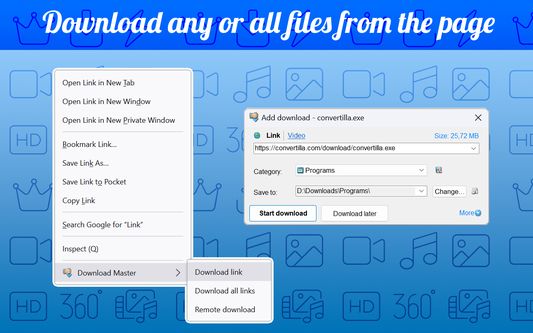
Extension adds the ability to download using Download Master* specified file or group of files from the browser's context menu. After installing the plug-in a new section with items "Download link", "Download all links" and "Remote download" is added the context menu of Firefox.
Right-clicking on the link (example link) you will see a menu with 3 new items added:
- Select "Download link" if you want to download the selected file.
- Select "Download all links" if you want to download multiple files located on this page;
- Select "Remote download" if you want to download a file using remote download service.
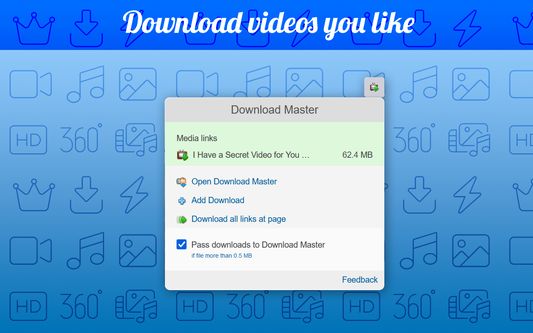
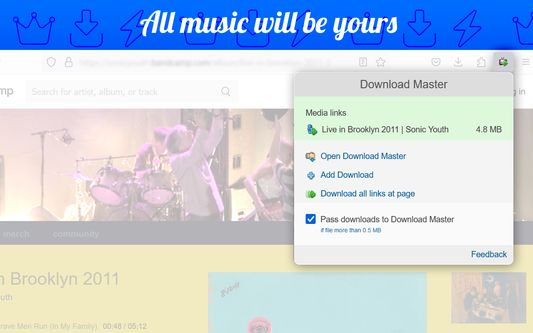
When entering the page with the video clip, if the video service is supported, extension button will be changed. Click on it and select “Download video”, you transfer the movie for download using Download Master*.
If you highlight text on a page, right-click and choose "Find selection on...". You will go directly to the page with the search results where you can download your files.
* The plug-in must be installed on the PC together with Download Master.
Extension adds the ability to download using Download Master* specified file or group of files from the browser's context menu. After installing the plug-in a new section with items "Download link", "Download all links" and "Remote download" is added the context menu of Firefox.
Right-clicking on the link (example link) you will see a menu with 3 new items added:
- Select "Download link" if you want to download the selected file.
- Select "Download all links" if you want to download multiple files located on this page;
- Select "Remote download" if you want to download a file using remote download service.
When entering the page with the video clip, if the video service is supported, extension button will be changed. Click on it and select “Download video”, you transfer the movie for download using Download Master*.
If you highlight text on a page, right-click and choose "Find selection on...". You will go directly to the page with the search results where you can download your files.
* The plug-in must be installed on the PC together with Download Master.
Оцењено са 3,5 од стране 181 рецензента
Овлашћења и подаци
Потребна овлашћења:
- Размена порука са програмима који нису Firefox
- Преузимање датотека, читање и измена историје преузимања
- Отварање датотека преузетих на рачунар
- Покажите обавештења
- Приступи језичцима прегледача
- Приступ подацима за све веб странице
Више информација
- Издање
- 3.1.10resigned1
- Величина
- 211,38 KB
- Последњи пут ажурирано
- pre 2 godine (25. apr. 2024.)
- Повезане категорије
- Дозвола
- Јавна дозвола Mozilla 2.0
- Историјат издања
- Додај у збирку