Delete G Docs Type @ To Insert од MuCatboys
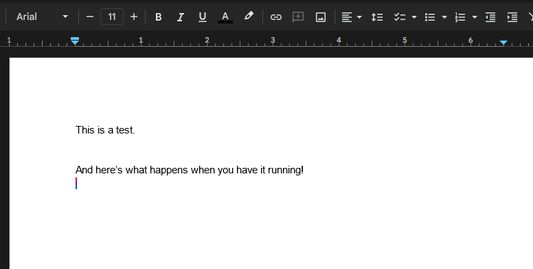
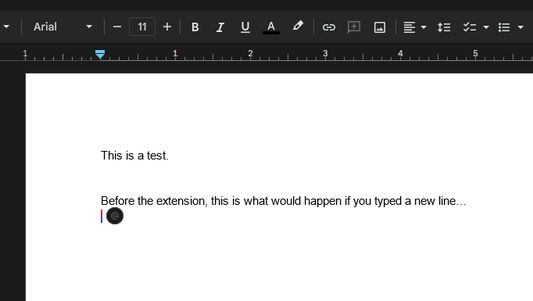
Deletes the 'Type @ to Insert' bubble that appears whenever you type a new line in Google Docs.
427 корисника427 корисника
Метаподаци додатка
Снимци екрана
О овом додатку
Are you sick of the annoying and distracting "Type @ to insert" bubble that appears every single time you type a new line in Google Docs? This extension will set that bubble's visibility property to "hidden", hiding it from existence without causing any issues to the functionality of Google Docs.
BEFORE YOU DOWNLOAD: Please try to add the following filters to uBlock Origin if you have it installed. If these filters work, you may not need to download this extension!
###docs-instant-bubble
docs.google.com###docs-instant-bubble
BEFORE YOU DOWNLOAD: Please try to add the following filters to uBlock Origin if you have it installed. If these filters work, you may not need to download this extension!
###docs-instant-bubble
docs.google.com###docs-instant-bubble
Оцењено са 4,3 од стране 3 рецензената
Овлашћења и подаци
Више информација
- Везе додатка
- Издање
- 1.0
- Величина
- 24,37 KB
- Последњи пут ажурирано
- pre 3 godine (23. dec. 2023.)
- Повезане категорије
- Историјат издања
- Ознаке
- Додај у збирку