
Copy This Block од uenoB
Copy selected blocks to the clipboard.
38 корисника38 корисника
Метаподаци додатка
Снимци екрана
О овом додатку
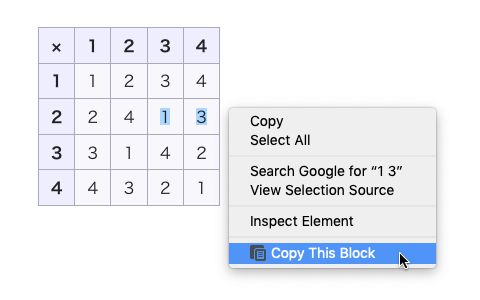
This allows you to copy tables, sample codes, paragraphs, list items, and other block-like structures from a web page to the clipboard in an appropriate format without accurate cursor operation.
To copy a block,
1. Select a part (even just one character) of the block, and
2. click "Copy This Block" in the context menu.
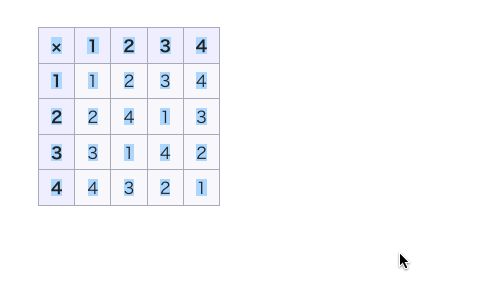
It then extends the selection range to the nearest block boundary and copies all the contents of the selected block to the clipboard in both the plain text and HTML format.
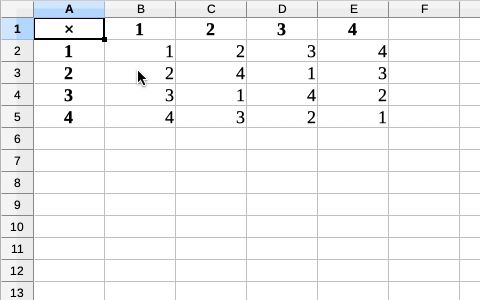
Before sending data to the clipboard, it removes unnecessary whitespaces, DIVs, SPANs, and empty elements from the contents, and formats tables in the CSV format. Hence, without any additional edit, you can paste tables to a spreadsheet, sample codes to an editor, and document fragments to a word processor.
Usage Notes
To copy a block,
1. Select a part (even just one character) of the block, and
2. click "Copy This Block" in the context menu.
It then extends the selection range to the nearest block boundary and copies all the contents of the selected block to the clipboard in both the plain text and HTML format.
Before sending data to the clipboard, it removes unnecessary whitespaces, DIVs, SPANs, and empty elements from the contents, and formats tables in the CSV format. Hence, without any additional edit, you can paste tables to a spreadsheet, sample codes to an editor, and document fragments to a word processor.
Usage Notes
- When you attempt to copy the contents of a frame, it requests you an additional permission to access data in the frame. The permission is removed as soon as the copying is complete.
- If sufficient permission is not granted, such as the case in which you use the extension in a restricted page or you did not grant a requested permission, it falls back to the normal copy command.
- The keyboard shortcut Alt+Shift+C is available. It works for most cases, but it does not work in a frame, and It cannot fall back to the normal copy command if it fails. In such a case, use the context menu instead of the keyboard shortcut.
- In the case when the blocks are nested and you would like to copy the outer one, select an unnested part or a range across the inner block boundary so that the extension goes to the outer block boundary.
Оцењено са 5 од стране 1 рецензента
Овлашћења и подаци
Потребна овлашћења:
- Унос података у оставу
Необавезна овлашћења:
- Приступ подацима за све веб странице
Више информација
- Везе додатка
- Издање
- 0.9.3resigned1
- Величина
- 15,68 KB
- Последњи пут ажурирано
- pre 2 godine (26. apr. 2024.)
- Повезане категорије
- Дозвола
- MIT дозвола
- Историјат издања
- Додај у збирку