Auto Save HTML од nunoarruda
Auto Save HTML is a small extension which can be used to automatically download the HTML document(s) of a specified website when browsing that same website.
253 корисника253 корисника
Метаподаци додатка
Снимци екрана
О овом додатку
HOW TO USE
1. Install the extension
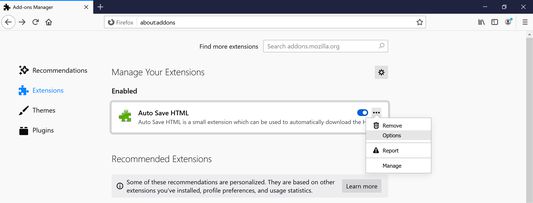
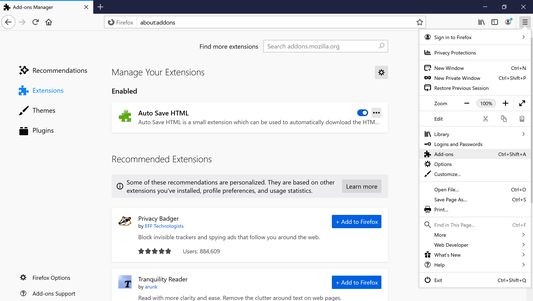
2. Click on menu (3-stripes) button -> Add-ons -> Extensions
3. Click the ellipsis (3-dot) menu and then Options (Windows) or Preferences (macOS/Linux)
4. Add target sites (use a match pattern)
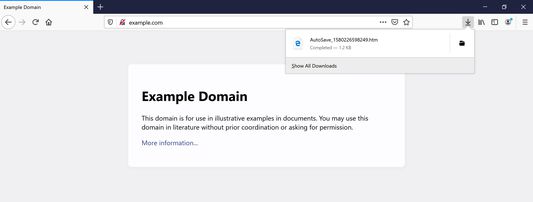
5. Navigate to the target sites. The extension will dump HTML files from a target site into the browser's Downloads folder as AutoSave_{TIMESTAMP}.htm
This extension is inspired by Auto Save Document and the development motivated by the Auto Save Document's non-compatibility with Firefox Quantum.
1. Install the extension
2. Click on menu (3-stripes) button -> Add-ons -> Extensions
3. Click the ellipsis (3-dot) menu and then Options (Windows) or Preferences (macOS/Linux)
4. Add target sites (use a match pattern)
5. Navigate to the target sites. The extension will dump HTML files from a target site into the browser's Downloads folder as AutoSave_{TIMESTAMP}.htm
This extension is inspired by Auto Save Document and the development motivated by the Auto Save Document's non-compatibility with Firefox Quantum.
Оцењено са 4,1 од стране 9 рецензената
Овлашћења и подаци
Потребна овлашћења:
- Преузимање датотека, читање и измена историје преузимања
- Приступ подацима за све веб странице
Више информација
- Издање
- 2.0.3
- Величина
- 12,45 KB
- Последњи пут ажурирано
- pre 6 godina (16. mar. 2020.)
- Повезане категорије
- Дозвола
- MIT дозвола
- Историјат издања
- Додај у збирку
Програмер овог додатка вас моли да помогнете у подршци за његов даљи развој тако што ћете дати мали допринос.