
Dictionary, Translation & Text-to-Speech од _korpus_
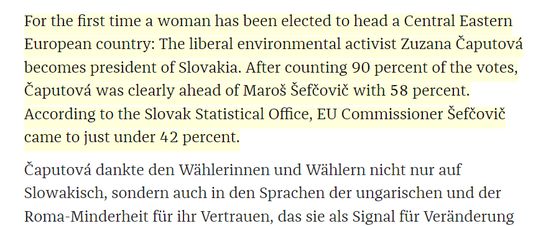
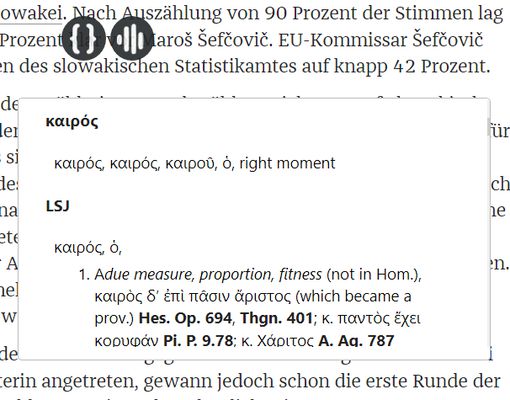
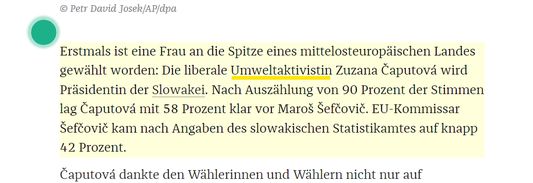
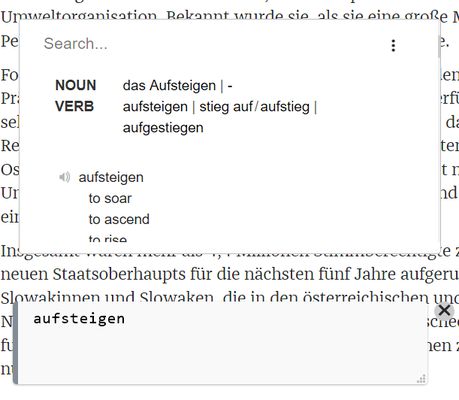
Quickly search a definition, translate inline or read out loud. This tool is a curated selection of major dictionaries and TTS services.
7 корисника7 корисника
Метаподаци додатка
Снимци екрана
О овом додатку
Please don't use reviews for support request. Use GitLab instead.
https://gitlab.com/_korpus_/korpus
Main Features
- Dictionaries: Linguee, Wordreference, CNRTL(TLFi, CRISCO), Duden, ARTFL(DVLF, FranText, Greek-Latin), EtymOnline, Beolingus, Chambers Dictionary, Collins, DictionaryCom, Larousse, Littré, Treccani, DictCC, LEODict, PONS, Priberam, Real Academia Española etc...
( Arrange the list via drag and drop)
- Translators: DeepL Translator, Google Translate
(Include inline or entire page translation)
- Text-to-Speech: responsiveVoice, ISpeech, WebSpeechApi
(Include a current text highlighter while it is read aloud)
Nota: WebSpeechApi uses the voice of your local OS, it does not need a network connection. Make sure you have the right voice installed on your system (mobile devices already have a bunch of voices installed)
Usage
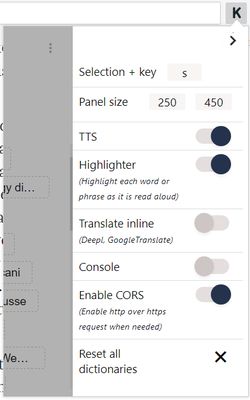
- Inline: Hold key "s" then select a word/phrase (key "s" + click is a default combination, you can change it).
- Console: Follow this pattern " !cmd phrase " (or just " phrase or word "). Here, "!cmd" is a bang shortcut and "cmd" is either def | tts | any dictionary (at least 3/4 first characters).
Limitation
For some dictionaries, Ublock or any other script blocker can break a search, make sure you allow your script blocker to retrieve a result from your current dictionary, translator or TTS service.
https://gitlab.com/_korpus_/korpus
Main Features
- Dictionaries: Linguee, Wordreference, CNRTL(TLFi, CRISCO), Duden, ARTFL(DVLF, FranText, Greek-Latin), EtymOnline, Beolingus, Chambers Dictionary, Collins, DictionaryCom, Larousse, Littré, Treccani, DictCC, LEODict, PONS, Priberam, Real Academia Española etc...
( Arrange the list via drag and drop)
- Translators: DeepL Translator, Google Translate
(Include inline or entire page translation)
- Text-to-Speech: responsiveVoice, ISpeech, WebSpeechApi
(Include a current text highlighter while it is read aloud)
Nota: WebSpeechApi uses the voice of your local OS, it does not need a network connection. Make sure you have the right voice installed on your system (mobile devices already have a bunch of voices installed)
Usage
- Inline: Hold key "s" then select a word/phrase (key "s" + click is a default combination, you can change it).
- Console: Follow this pattern " !cmd phrase " (or just " phrase or word "). Here, "!cmd" is a bang shortcut and "cmd" is either def | tts | any dictionary (at least 3/4 first characters).
Limitation
For some dictionaries, Ublock or any other script blocker can break a search, make sure you allow your script blocker to retrieve a result from your current dictionary, translator or TTS service.
Оцењено са 1 од стране 1 рецензента
Овлашћења и подаци
Потребна овлашћења:
- Покажите обавештења
- Приступи језичцима прегледача
- Приступ подацима за све веб странице
Више информација
- Издање
- 2019.11.19
- Величина
- 195,29 KB
- Последњи пут ажурирано
- pre 7 godina (19. nov. 2019.)
- Повезане категорије
- Дозвола
- Јавна дозвола Mozilla 2.0
- Историјат издања
- Додај у збирку