
Browsec VPN од Browsec Inc
Unblock geographically restricted content and protect your IP with Browsec’s add-on. With this Firefox VPN extension, you can stay anonymous for an unlimited time! Use free remote servers to hide your location and access any content you want.
488.589 корисника488.589 корисника
Метаподаци додатка
Снимци екрана



О овом додатку
Get unlimited access to any site with Browsec free Firefox VPN extension.
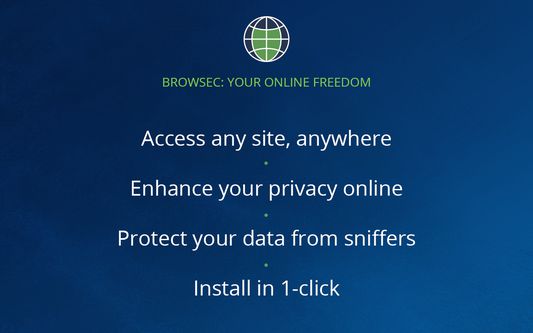
With this VPN add-on, you can protect your browser from external threats, hide your IP, and unblock any website you need.
☆ Secure IP changer
You can change your IP anytime you want. Browsec shields your real IP address and location, so that you can unblock restricted online content in your area.
☆ Solid data protection
With this extension, your online data is safe, thanks to the top-notch protection protocols. You can forget about data leaks – your logins, passwords, and credit card details are safely guarded.
☆ Remote servers
Browsec’s free servers make it possible to connect to sites as if you were in the US, the UK, the Netherlands, Singapore, and more. Choose the one that fits your needs and browse away as long as you want.
☆ Safety guarantee
Browsec makes you forget about dishonest ISPs and unknown public Wi-Fi spots. It encrypts your internet traffic, protects your data, and keeps it from everyone trying to steal it.
☆ Premium features
We still have got more in store. Browsec’s dedicated lanes let you surf the internet at the speed of up to 100 Mbit so you can stream videos seamlessly. You can choose a server from the list of 40+ virtual locations and even adjust your browser timezone to the current IP. Plus, you can have different settings for each website or page – select different servers and save the preset.
HOW TO SET UP BROWSEC MOZILLA VPN:
1. Find Browsec in the Firefox Store and click ‘Add to Firefox.’
2. Download and enable the add-on.
3. Click the extension icon in the toolbar.
4. Click “Start VPN,” then select a remote server. Now, you’re safe!
Browsec Firefox VPN is one of the best options to protect your browser and access any website anytime, anywhere.
With this VPN add-on, you can protect your browser from external threats, hide your IP, and unblock any website you need.
☆ Secure IP changer
You can change your IP anytime you want. Browsec shields your real IP address and location, so that you can unblock restricted online content in your area.
☆ Solid data protection
With this extension, your online data is safe, thanks to the top-notch protection protocols. You can forget about data leaks – your logins, passwords, and credit card details are safely guarded.
☆ Remote servers
Browsec’s free servers make it possible to connect to sites as if you were in the US, the UK, the Netherlands, Singapore, and more. Choose the one that fits your needs and browse away as long as you want.
☆ Safety guarantee
Browsec makes you forget about dishonest ISPs and unknown public Wi-Fi spots. It encrypts your internet traffic, protects your data, and keeps it from everyone trying to steal it.
☆ Premium features
We still have got more in store. Browsec’s dedicated lanes let you surf the internet at the speed of up to 100 Mbit so you can stream videos seamlessly. You can choose a server from the list of 40+ virtual locations and even adjust your browser timezone to the current IP. Plus, you can have different settings for each website or page – select different servers and save the preset.
HOW TO SET UP BROWSEC MOZILLA VPN:
1. Find Browsec in the Firefox Store and click ‘Add to Firefox.’
2. Download and enable the add-on.
3. Click the extension icon in the toolbar.
4. Click “Start VPN,” then select a remote server. Now, you’re safe!
Browsec Firefox VPN is one of the best options to protect your browser and access any website anytime, anywhere.
Оцењено са 3,9 од стране 4.152 рецензената
Овлашћења и подаци
Потребна овлашћења:
- Читање и измена подешавања приватности
- Управљајте поставкама посредника прегледача
- Приступи језичцима прегледача
- Приступ подацима за све веб странице
Необавезна овлашћења:
- Обришите недавну историју прегледања, колачиће и сродне податке
- Надзор коришћења додатака и управљање темама
Више информација
- Издање
- 3.93.7
- Величина
- 3,66 MB
- Последњи пут ажурирано
- pre 2 meseca (8. jul 2026.)
- Повезане категорије
- Дозвола
- Сва права су задржана
- Политика приватности
- Прочитајте политику приватности за овај додатак
- Историјат издања
- Додај у збирку