YouTube Audio Sync Tool nga Hirox
Fix YouTube audio sync problem by adjusting audio timing
169 Përdorues169 Përdorues
Tejtëdhëna Zgjerimi
Foto ekrani
Rreth këtij zgjerimi
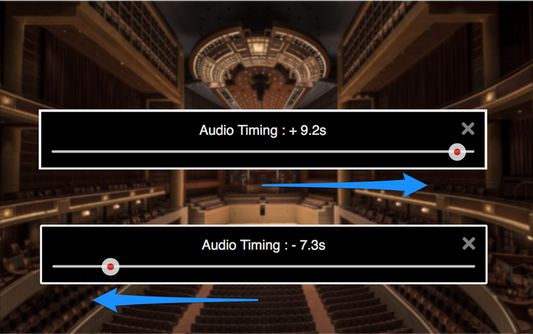
Fix YouTube audio sync problems by adjusting audio timing in intervals of 0.1 seconds. It helps when watching videos that have out-of-sync audio, or when using wireless audio systems that have audio delay.
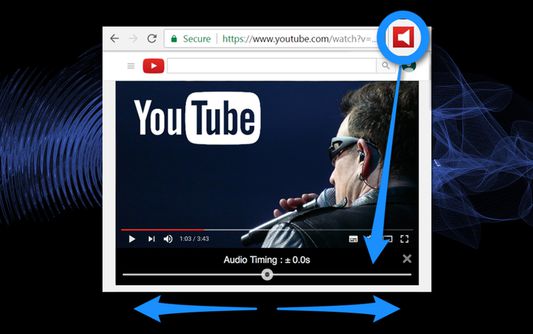
1. Audio timing adjustment slider appears under the video screen on your YouTube page with a click of the tool icon.
2. Adjust audio timing to sync audio and video by moving the slider.
- "YouTube" and the "YouTube logo" are registered trademarks of Google Inc.
- The images used in screenshots are provided under Creative Commons (CC0) license.
1. Audio timing adjustment slider appears under the video screen on your YouTube page with a click of the tool icon.
2. Adjust audio timing to sync audio and video by moving the slider.
- "YouTube" and the "YouTube logo" are registered trademarks of Google Inc.
- The images used in screenshots are provided under Creative Commons (CC0) license.
Vlerësuar me 1,6 nga 26 shqyrtues
Leje dhe të dhëna
Leje të domosdoshme:
- Të hyjë në skeda të shfletuesit
- Të hyjë në të dhënat tuaja për www.youtube.com
Më tepër të dhëna
- Lidhje shtese
- Version
- 0.0.6resigned1
- Madhësi
- 155,02 KB
- Përditësuar së fundi më
- 2 vite më parë (25 Pri 2024)
- Kategori të Afërta
- Licencë
- Mozilla Public License 2.0
- Historik Versionesh
- Shtojeni në koleksion