
Chronos nga Tryton, Cédric Krier
Manage timesheets in Tryton
40 Përdorues40 Përdorues
Tejtëdhëna Zgjerimi
Foto ekrani
Rreth këtij zgjerimi
Manage timesheets in Tryton
Encode and manage time-sheet lines from browser to your Tryton server.
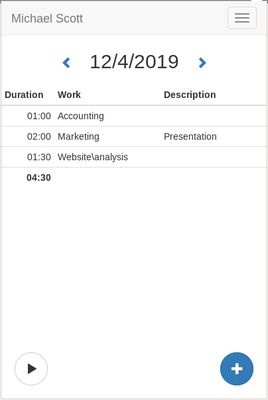
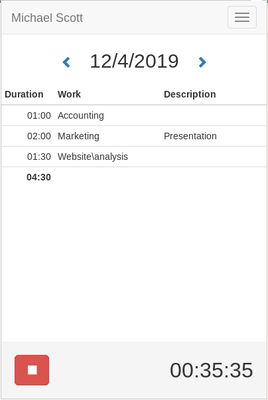
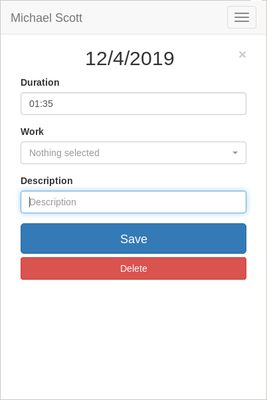
With Chronos, you can enter quickly the time spend on tasks directly from the browser without having to login to the Tryton server.
You will have a summary of the tasks per day including the total of time and could navigate through dates.
Chronos works also offline, you can encode new line, update or remove existing. They will be synchronized automatically later when the browser is back online.
To setup, you must first register Chronos to your Tryton server with the address, the database and your username. The server must have the timesheet module activated. Once registered, the application must be validated on the user preferences dialog from Tryton.Encode and manage your Tryton time-sheets quickly from within your browser.
Encode and manage time-sheet lines from browser to your Tryton server.
With Chronos, you can enter quickly the time spend on tasks directly from the browser without having to login to the Tryton server.
You will have a summary of the tasks per day including the total of time and could navigate through dates.
Chronos works also offline, you can encode new line, update or remove existing. They will be synchronized automatically later when the browser is back online.
To setup, you must first register Chronos to your Tryton server with the address, the database and your username. The server must have the timesheet module activated. Once registered, the application must be validated on the user preferences dialog from Tryton.Encode and manage your Tryton time-sheets quickly from within your browser.
Vlerësuar me 5 nga 2 shqyrtues
Leje dhe të dhëna
Më tepër të dhëna
- Lidhje shtese
- Version
- 0.8.2
- Madhësi
- 311,55 KB
- Përditësuar së fundi më
- 5 vite më parë (7 Shk 2021)
- Kategori të Afërta
- Historik Versionesh
- Shtojeni në koleksion