
Link Hints nga lydell
Click with your keyboard.
579 Përdorues579 Përdorues
Tejtëdhëna Zgjerimi
Foto ekrani
Rreth këtij zgjerimi
Have a bad touchpad? Trouble using a mouse? Love keyboard shortcuts?
Link Hints is a browser extension that complements the built-in keyboard shortcuts with ones for clicking.
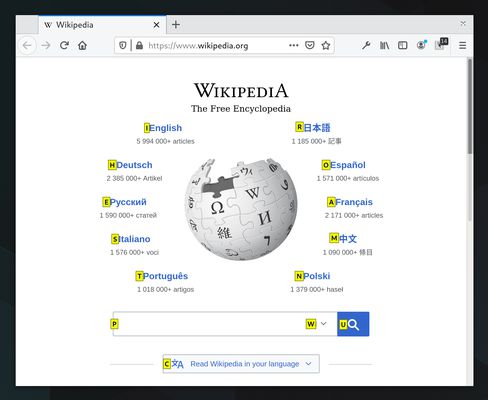
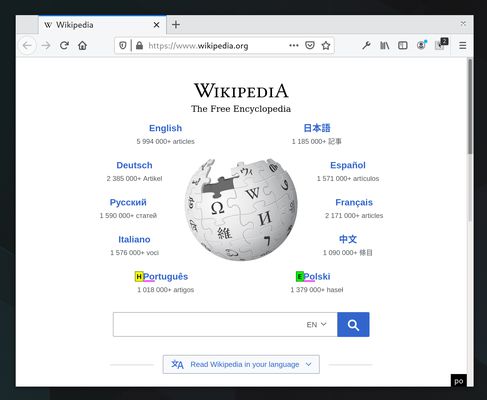
Press Alt+J (Ctrl+J on macOS). This makes little yellow boxes with letters, called hints, appear next to links (and other clickable things). Type the letters to click the link. Alternatively, hold Shift and type a bit of the link text.
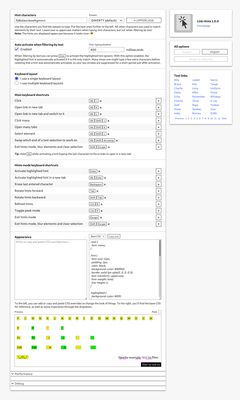
The keyboard shortcuts and hints are fully customizable.
Alt+J: Click links, buttons, etc.
Alt+K: Open link in new tab.
Alt+L: Open link in new tab and switch to it.
Alt+Shift+J: Click many things.
Alt+Shift+K: Open many links.
Alt+Shift+L: Select element.
See the home page for more information: https://lydell.github.io/LinkHints/
Link Hints is a browser extension that complements the built-in keyboard shortcuts with ones for clicking.
Press Alt+J (Ctrl+J on macOS). This makes little yellow boxes with letters, called hints, appear next to links (and other clickable things). Type the letters to click the link. Alternatively, hold Shift and type a bit of the link text.
The keyboard shortcuts and hints are fully customizable.
Alt+J: Click links, buttons, etc.
Alt+K: Open link in new tab.
Alt+L: Open link in new tab and switch to it.
Alt+Shift+J: Click many things.
Alt+Shift+K: Open many links.
Alt+Shift+L: Select element.
See the home page for more information: https://lydell.github.io/LinkHints/
Vlerësuar me 4,8 nga 30 shqyrtues
Leje dhe të dhëna
Leje të domosdoshme:
- Të hyjë në të dhënat tuaja për krejt sajtet
Grumbullim të dhënash:
- Zhvilluesi thotë se ky zgjerim s’lyp mbledhje të dhënash.
Më tepër të dhëna
- Lidhje shtese
- Version
- 1.4.0
- Madhësi
- 164,05 KB
- Përditësuar së fundi më
- 2 muaj më parë (21 Gus 2026)
- Kategori të Afërta
- Licencë
- Licencë MIT
- Historik Versionesh
- Shtojeni në koleksion