FLOW PAGE : text to speech (auto read & scroll) Autor: LIFE NOTE
FLOW PAGE is designed to make automatic text reading as smooth as possible. All you have to do is click on the text and listen to it, so you can browse the web while resting your tired eyes.
237 používateľov237 používateľov
Metadáta rozšírenia
Snímky obrazovky
O tomto rozšírení
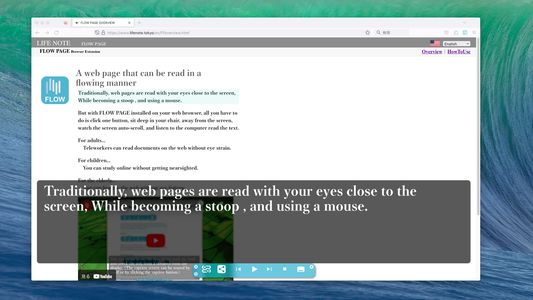
One click on a text portion of a web page and it will start reading out loud. There is no need to cut and paste text or set language settings.
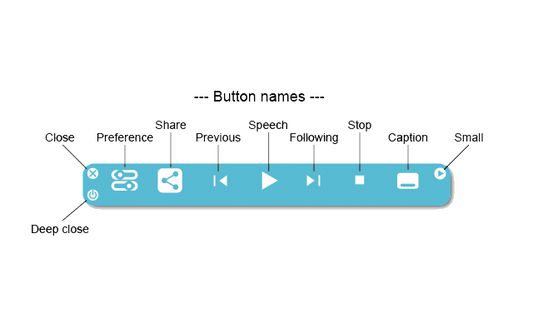
The text will automatically scroll as it is read. You can pause, stop, fast forward, rewind, and display captions using the control bar that appears at the bottom of the screen when you click on text.
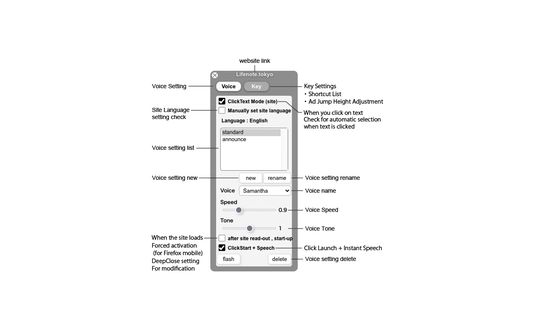
You can also register multiple voice settings of your choice.
Even if the control bar is hidden by advertisements, a shortcut (CTRL+J or CTRL+0) will jump the control bar to the top. The jumped state is saved for each site, so you do not need to do that operation for the next time you visit the same site.
The text will automatically scroll as it is read. You can pause, stop, fast forward, rewind, and display captions using the control bar that appears at the bottom of the screen when you click on text.
You can also register multiple voice settings of your choice.
Even if the control bar is hidden by advertisements, a shortcut (CTRL+J or CTRL+0) will jump the control bar to the top. The jumped state is saved for each site, so you do not need to do that operation for the next time you visit the same site.
Hodnotené 3,4 od 11 recenzentov
Povolenia a údaje
Požadované oprávnenia:
- Pristupovať k údajom pre všetky webové stránky
Voliteľné povolenia:
- Pristupovať k údajom pre všetky webové stránky
Ďalšie informácie
- Odkazy doplnku
- Verzia
- 1.2.0
- Veľkosť
- 248,22 kB
- Posledná aktualizácia
- pred 6 mesiacmi (31. máj 2025)
- Príbuzné kategórie
- Licencia
- Mozilla Public License 2.0
- História verzií
- Pridať do kolekcie