
Tweak It de Thomas Brillion
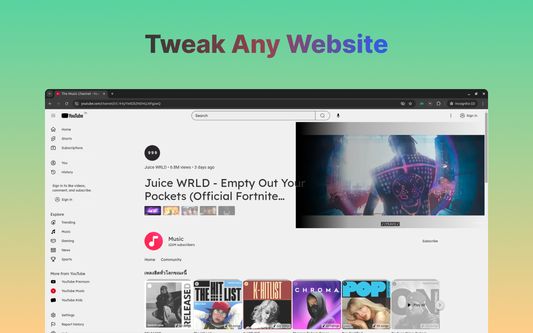
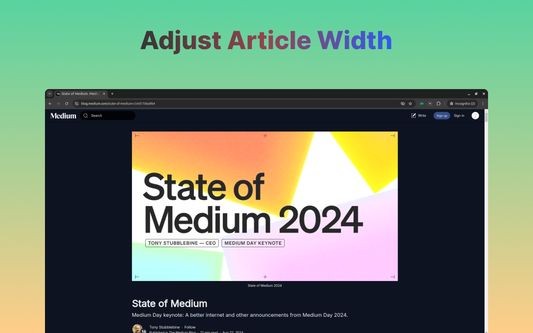
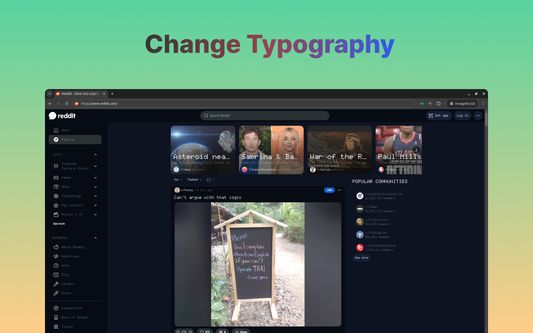
Ultimate Web Styler Extension - Personalize Every Website Effortlessly with This Powerful Tool - Change background color with intelligent color adjustment - Adjust article width - Change typography. - Tweak any website.
Unele funcționalități pot fi cu platăUnele funcționalități pot fi cu plată
12 utilizatori12 utilizatori
Metadate extensie
Capturi de ecran

Despre această extensie
We offers versatile and seamless customization for any website, allowing you to adjust colors, fonts, and even article widths for a more comfortable browsing experience.
Unlike other extensions that require specific themes or only support light-to-dark transitions, it works effortlessly on any site—whether it's ChatGPT, Facebook, YouTube, LinkedIn, or Google Docs—ensuring optimal contrast, readability, and personalization across all platforms, without any performance issues.
Features
🚀 Intelligent Color Adjustment
🚀 Preset Styles
🚀 Custom Style
🚀 Style per website / Global Style
🚀 Sync settings across your devices
🚀 Auto-apply style
🚀 No Credit Card Required For Trial Period
and many more features are on the way !!
How is it different from other extensions? 🤔🤔
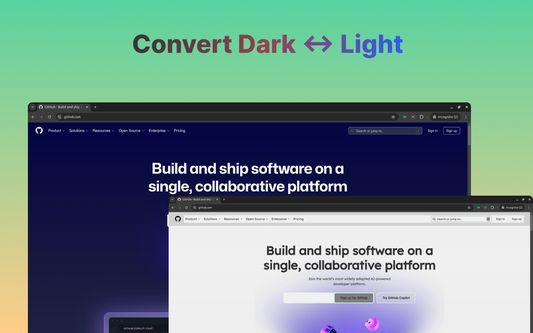
- ✨✨Dark Reader: While Dark Reader is brilliant at handling dark and light mode, TweakIt not only converts background color from light to dark or vice versa but also lets you choose any color and change relevant color based on current website theme.
- ✨✨Stylish: Stylish is a great extension but it only works on the targeted websites by a stylish theme. In TweakIt, you create a style and apply it on any website. That's it.
- ✨✨Midnight Lizard: Midnight lizard is pretty similar to TweakIt. As for me, Midnight lizard is not quite easy to use. ML doesn't work in ChatGPT. It freezes the tab out. The concept is also different from us. While ML mostly uses CSS property `filter`, TweakIt interacts with existing style rules.
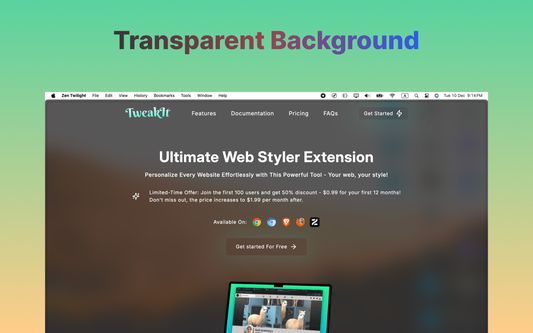
TweakIt supports transparent background. So it perfectly syncs with Firefox or Zen Browsers which supports elegant transparency theme ( At the time of writing, Zen Twilight version supports transparent blurish background with a few tweaks in CSS. )
Website link - https://tweakit.today
Documentation link - https://doc.tweakit.today
Product Hunt page - https://www.producthunt.com/posts/tweakit
Unlike other extensions that require specific themes or only support light-to-dark transitions, it works effortlessly on any site—whether it's ChatGPT, Facebook, YouTube, LinkedIn, or Google Docs—ensuring optimal contrast, readability, and personalization across all platforms, without any performance issues.
Features
🚀 Intelligent Color Adjustment
🚀 Preset Styles
🚀 Custom Style
🚀 Style per website / Global Style
🚀 Sync settings across your devices
🚀 Auto-apply style
🚀 No Credit Card Required For Trial Period
and many more features are on the way !!
How is it different from other extensions? 🤔🤔
- ✨✨Dark Reader: While Dark Reader is brilliant at handling dark and light mode, TweakIt not only converts background color from light to dark or vice versa but also lets you choose any color and change relevant color based on current website theme.
- ✨✨Stylish: Stylish is a great extension but it only works on the targeted websites by a stylish theme. In TweakIt, you create a style and apply it on any website. That's it.
- ✨✨Midnight Lizard: Midnight lizard is pretty similar to TweakIt. As for me, Midnight lizard is not quite easy to use. ML doesn't work in ChatGPT. It freezes the tab out. The concept is also different from us. While ML mostly uses CSS property `filter`, TweakIt interacts with existing style rules.
TweakIt supports transparent background. So it perfectly syncs with Firefox or Zen Browsers which supports elegant transparency theme ( At the time of writing, Zen Twilight version supports transparent blurish background with a few tweaks in CSS. )
Website link - https://tweakit.today
Documentation link - https://doc.tweakit.today
Product Hunt page - https://www.producthunt.com/posts/tweakit
Evaluat cu 5 de către 1 recenzor
Permisiuni și date
Mai multe informații
- Linkurile suplimentului
- Versiune
- 0.0.29
- Mărime
- 205,57 KB
- Ultima actualizare
- o lună în urmă (20 ian. 2026)
- Categorii conexe
- Licență
- Toate drepturile rezervate
- Politică de confidențialitate
- Citește politica de confidențialitate pentru acest supliment
- Acord de licență pentru utilizatorul final
- Citește acordul de licență pentru acest supliment
- Istoricul versiunilor
- Adaugă în colecție