
Items.com de Developers
items.com Amazing Offers & Coupons. It's all about the discount & cashback!
1 utilizator1 utilizator
Metadate extensie
Capturi de ecran
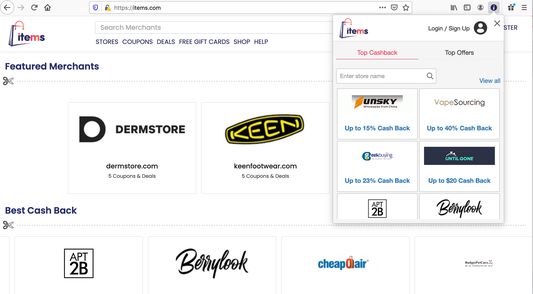
Despre această extensie
items.com Amazing Offers & Coupons. It's all about the discount & cashback!
Items.com makes users online shopping experience much easier.It finds and applies the right coupon code automatically for every online users.
Users no need to look for coupon codes and sales. Items does it for you automatically!
Items.com let users to discover everything about their favorite products on online merchants websites .
By clicking the "Add To Firefox" button and activating the Items.com add-on, you are agreeing to Items.com's Terms of Agreement (found here: https://www.items.com/terms), its Privacy Policy (found here: https://www.items.com/privacy and License Agreement (https://items.com/license).
To remove the add-on from your firefox browser, please use the below directions.
For assistance, please contact this email address: developers@items.com
1) Find the Add-Ons Settings in the top right of your Firefox web browser.
2) Look for the three dots for items.com add-on and click to find Remove option.
3) You can restart your browser in order for the changes to take effect and the extension to be uninstalled.
Items.com makes users online shopping experience much easier.It finds and applies the right coupon code automatically for every online users.
Users no need to look for coupon codes and sales. Items does it for you automatically!
Items.com let users to discover everything about their favorite products on online merchants websites .
By clicking the "Add To Firefox" button and activating the Items.com add-on, you are agreeing to Items.com's Terms of Agreement (found here: https://www.items.com/terms), its Privacy Policy (found here: https://www.items.com/privacy and License Agreement (https://items.com/license).
To remove the add-on from your firefox browser, please use the below directions.
For assistance, please contact this email address: developers@items.com
1) Find the Add-Ons Settings in the top right of your Firefox web browser.
2) Look for the three dots for items.com add-on and click to find Remove option.
3) You can restart your browser in order for the changes to take effect and the extension to be uninstalled.
Evaluat cu 1 de către 1 recenzor
Permisiuni și date
Permisiuni necesare:
- Să acceseze filele browserului
- Să îți acceseze datele pentru toate site-urile web
Mai multe informații
- Linkurile suplimentului
- Versiune
- 2.10
- Mărime
- 475,01 KB
- Ultima actualizare
- 3 ani în urmă (6 apr. 2023)
- Categorii conexe
- Licență
- Mozilla Public License 2.0
- Politică de confidențialitate
- Citește politica de confidențialitate pentru acest supliment
- Istoricul versiunilor
- Adaugă în colecție