
Hide Comments Everywhere de Grant Winney
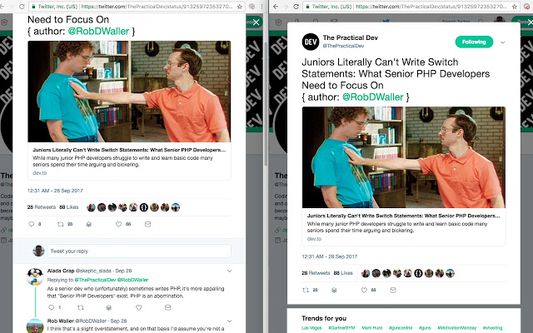
An anti-social social extension to hide commenting systems like Disqus, Livefyre, Twitter, WordPress, YouTube, etc.
300 de utilizatori300 de utilizatori
Metadate extensie
Capturi de ecran


Despre această extensie
Hide various commenting systems across the web, including (but not limited to) Disqus, YouTube, various news sites and forums, etc.
USAGE
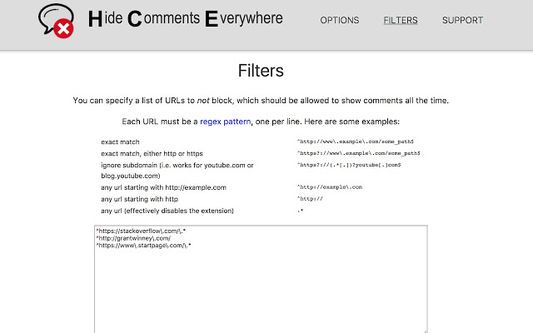
This addon checks whether it should allow or block comments for a website, based on a combination of sites I've added to a list, as well as a personal whitelist (always allow comments) and blacklist (always block comments) that you can define on the Options page.
Your personal lists use synchronized storage, so they should be available on any machine you've installed the extension on and have logged into the same account with.
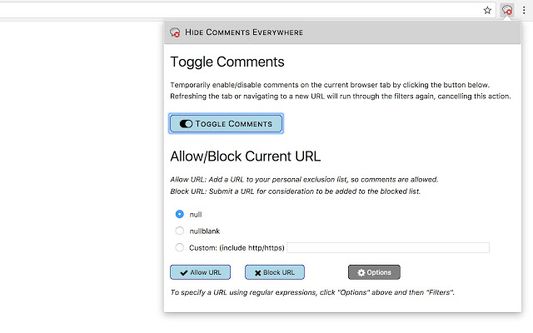
Click on the icon in the toolbar and press the large "toggle" button to temporarily toggle enabling/disabling the extension for a single tab.
PERMISSIONS
You'll be notified that it can "read and change all your data on the websites you visit" because that's how it works - it hides certain comment-related elements on the page so you don't see them.
It also uses storage to save its state, but it probably won't prompt you for that.
CONTRIBUTING
If you notice a commenting system that could be added (blocked), open an issue (see "support" link). Include the website where you noticed it, and I'll try to follow-up as time permits.
Additionally, if you're comfortable with regex and html/css, you could just create a pull request against the file that defines which sites and html elements are blocked, here: https://github.com/grantwinney/hide-comments-everywhere/blob/master/sites/sites.json
NEED HELP?
Have a question, comment or request?
Open a new issue (see "support" link) with as many details as possible. The more you let me know upfront, the less I'll have to ask later!
USAGE
This addon checks whether it should allow or block comments for a website, based on a combination of sites I've added to a list, as well as a personal whitelist (always allow comments) and blacklist (always block comments) that you can define on the Options page.
Your personal lists use synchronized storage, so they should be available on any machine you've installed the extension on and have logged into the same account with.
Click on the icon in the toolbar and press the large "toggle" button to temporarily toggle enabling/disabling the extension for a single tab.
PERMISSIONS
You'll be notified that it can "read and change all your data on the websites you visit" because that's how it works - it hides certain comment-related elements on the page so you don't see them.
It also uses storage to save its state, but it probably won't prompt you for that.
CONTRIBUTING
If you notice a commenting system that could be added (blocked), open an issue (see "support" link). Include the website where you noticed it, and I'll try to follow-up as time permits.
Additionally, if you're comfortable with regex and html/css, you could just create a pull request against the file that defines which sites and html elements are blocked, here: https://github.com/grantwinney/hide-comments-everywhere/blob/master/sites/sites.json
NEED HELP?
Have a question, comment or request?
Open a new issue (see "support" link) with as many details as possible. The more you let me know upfront, the less I'll have to ask later!
Evaluat cu 4,6 de către 15 recenzori
Permisiuni și date
Permisiuni necesare:
- Să îți acceseze datele pentru toate site-urile web
Permisiuni opționale:
- Să îți acceseze datele pentru raw.githubusercontent.com
Mai multe informații
- Linkurile suplimentului
- Versiune
- 1.6.12
- Mărime
- 735,26 KB
- Ultima actualizare
- 10 luni în urmă (11 iun. 2025)
- Categorii conexe
- Licență
- Licență MIT
- Istoricul versiunilor
- Adaugă în colecție